
- 1. Today reading: Cómo instalar WordPressWordPress es el software de blogs líder en el mundo, y es concretamente fácil de utilizar y adaptable. Con WordPress, es factible crear con éxito sitios web con la ayuda de funciones ya predefinidas, sin mucho esfuerzo, y para proporcionar contenido como texto, imagen y vídeo. No se requiere conocimiento de HTML. WordPress además facilita la gestión y el mantenimiento de contenidos extensos. Al mismo tiempo de su fácil manejo, plus en Microsoft Azure
- 2. How to install WordPress on Google Cloud
- 3. Instalar WordPress en AWS – AmazonConcepto de Amazon¿Qué es Amazon?Amazon es la tienda online más importante de todas partes (haz un clic aquí para ver la web de Amazon). Se trata del icono más representativo del e-commerce y de una de las webs más frecuentadas por los usuarios de medio planeta. Cuenta con un catálogo repleto de productos de todos los tipos y sectores y con precios y condiciones que suelen atraer las miradas de plus Web Services
- 4. Introduction to cloud computing with WordPress
- 5. How to install WordPress on DigitalOcean
Microsoft Azure is one of the top cloud computing providers in the ranks of Google and Amazon. Previously, we had covered what cloud computing is all about and how to set up WordPress on a DigitalOcean drop. Today we will see how to implement WordPress in the cloud using Microsoft Azure cloud computing services.
Introduction
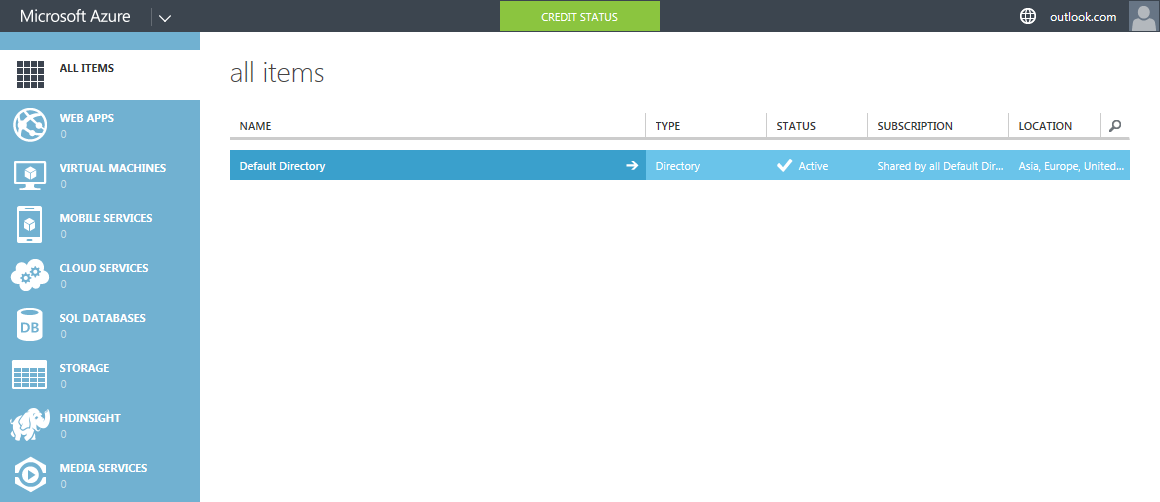
Cloud computing is much bigger than we speculated in our introductory post. Once you sign up for Microsoft Azure, you can take a look at countless possibilities cloud computing has to offer. Here's a look at the Microsoft Azure dashboard:
Here is the sequence of events:
- Sign up for a free Microsoft Azure account
- Implement a new WordPress web application
- Configure WordPress installation
Phase n. # 1: register a Microsoft Azure account
Microsoft Azure offers a 30-day trial account, with $ 200 worth of cloud computing resources. This is a free account and requires a valid credit or debit card to function. The card is used for verification purposes only. Prepaid credit cards and virtual credit cards are not accepted.
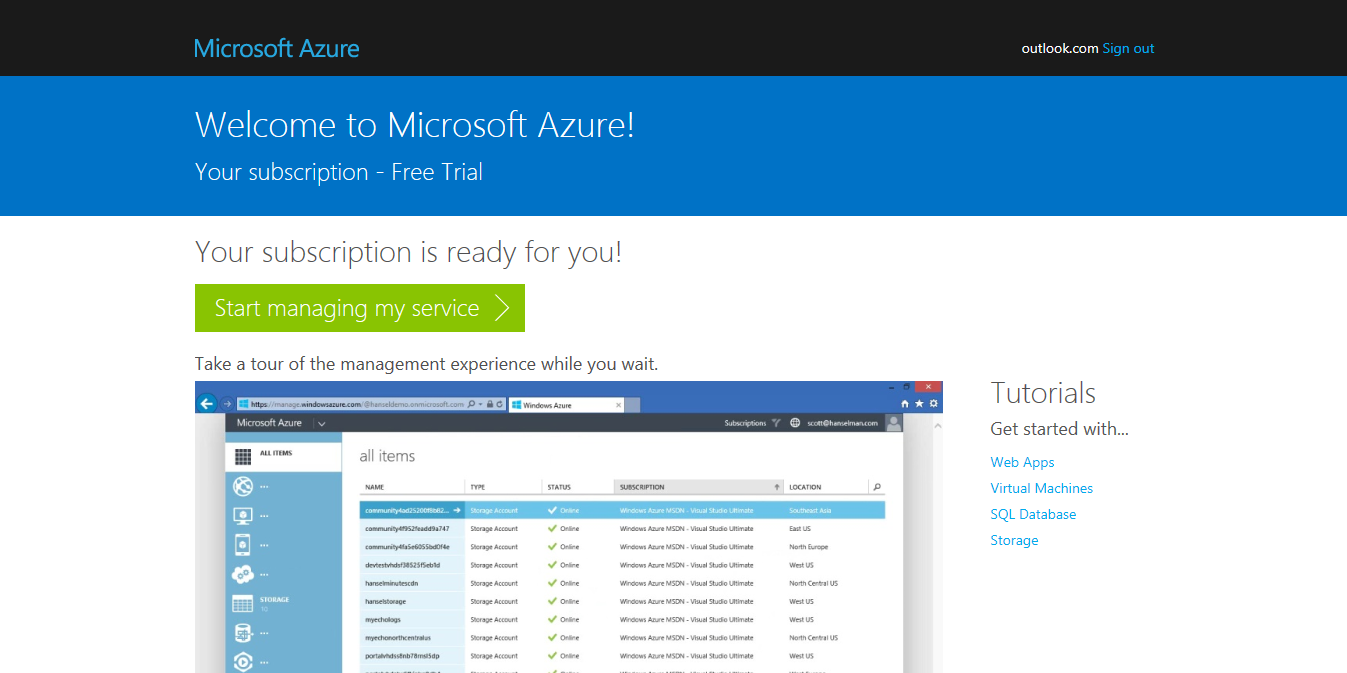
NOTE: I personally signed up for the Microsoft Azure service with a credit card. One dollar was charged and the amount was refunded within two business days.
One of the fundamental characteristics of cloud computing is the pay-per-use model. This means that you only have to pay for what you use. Some of us like to be very careful about the charges on our cards. After all, credit cards do carry some risk. Having said that, there is a possibility that if there is a heavy traffic load on our WordPress site, Azure will automatically scale the resources allocated to our application (WordPress) to balance the additional load. This would lead to an increase in the monthly bill, hence variable bills.
Azure spend limit and peace of mind
Microsoft Azure has a smart solution - they called it the Spending limit. As the name suggests, with the active spending limit, Azure will not allow you to spend more than the fixed amount. You can set this limit to the amount you want, starting at zero dollars.
As an example, let's say you've set a spending limit of $ 20 per month. Once you consume $ 20 cloud computing resources, your resources will be suspended for the rest of the month, or until you update the spending limit.
the Good news: When you sign up for a free route account, The zero dollar spending limit is created automatically.. This gives you complete peace of mind - your credit card will not be charged unless you specifically increase the limit.
Fase # 2 – Instalar la appConcepto de APP¿Qué es una APP?Una App es todo aquel programa que se ejecuta desde una interfaz teléfono celular, es decir, desde un móvil o una tablet. Consiste en la herramienta principal para cualquier usuario que tenga un teléfono teléfono celular, de todo el software que se mueve en tiendas digitales como Google Play Store o la App Store y que tanto se adentra en cualquier terminal moderno.Es un concepto plus web de WordPress
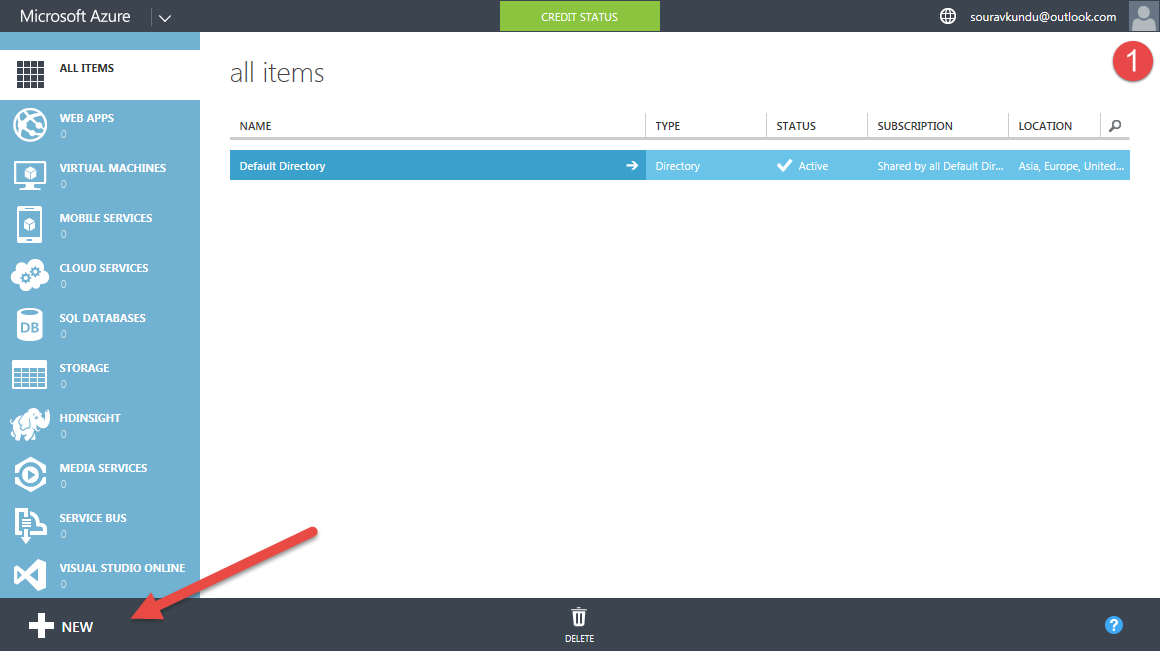
Once you have registered a Microsoft Azure account, go to the Azure Admin Panel. Does it look like this:
Pretty cool, huh? It gets even cooler. Thanks to the popularity of WordPress, cloud providers thought it would be better if they offered ready-made templates for WordPress. This step would relieve customers of having to go through the hassle of installing WordPress in a cloud computing environment. We saw the same in DigitalOcean's 1-click WordPress installer.
Let's count the number of steps required to install WordPress. Clever? Let's go.
Step 1
Sign in to your Azure admin panel.
Step 2
Navigate to the menu bar at the bottom of the screen and press New.
Step 3
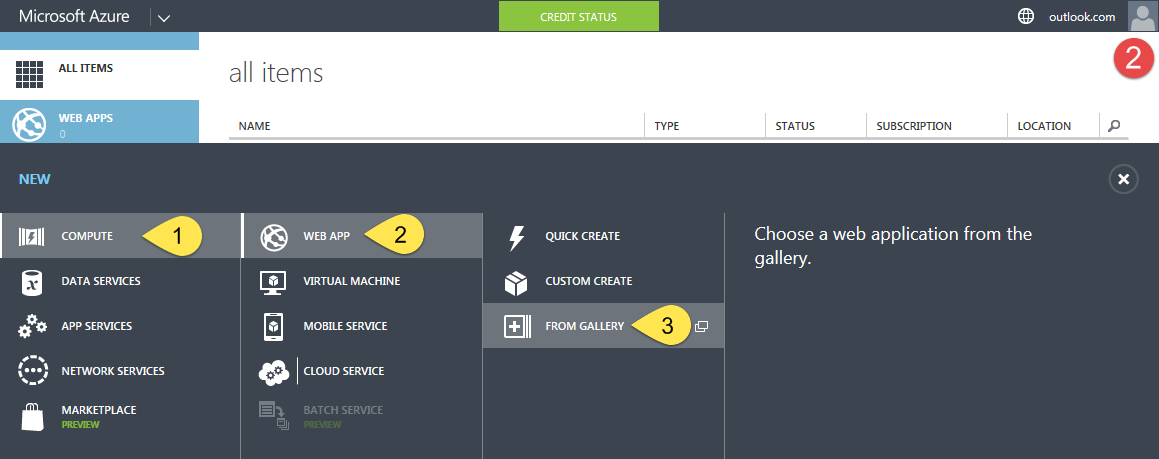
Please select Calculate > Web Application > From the gallery. A new window would open.
Step 4
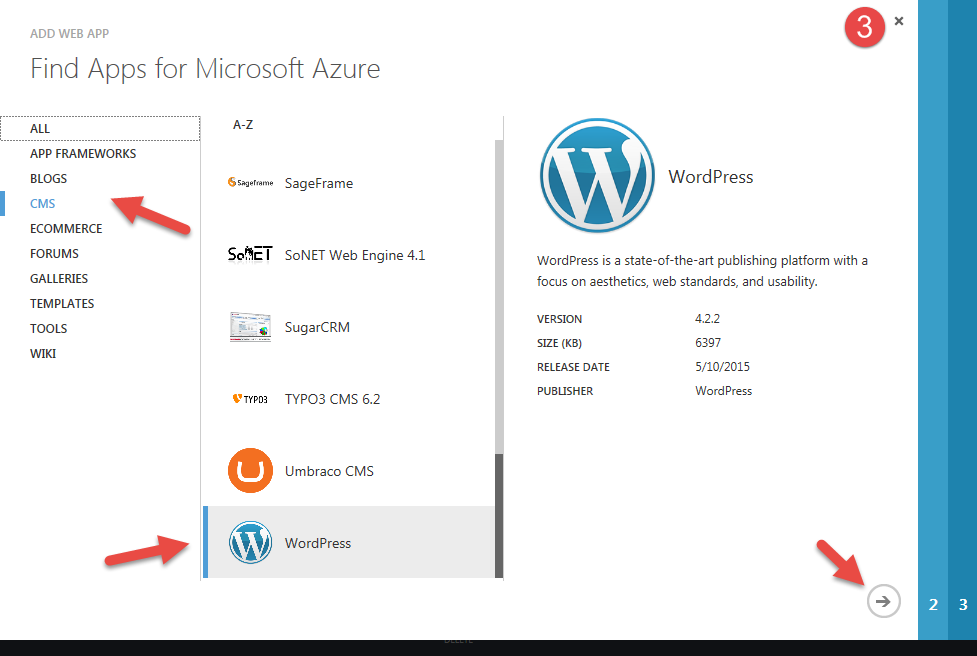
The gallery shows all the apps available for 1-click installation. They have been tested to work seamlessly with the Azure cloud computing environment. In the menu on the left, select CMSConcepto de CMS¿Qué es un CMS o Sistema de Administración de Contenido?Un CMS, siglas de Content Management System, es un tipo de software que se elabora con la finalidad de ofrecer una plataforma con la que facilitar la gestión y la administración de contenidos de cualquier web. Son herramientas pensadas para que cualquier persona, sin tener conocimiento alguno de informática, pueda publicar contenidos en una página sin ningún tipo de plus. On the right, scroll down to find WordPress. Please select WordPress and click the next arrow.
Step # 5
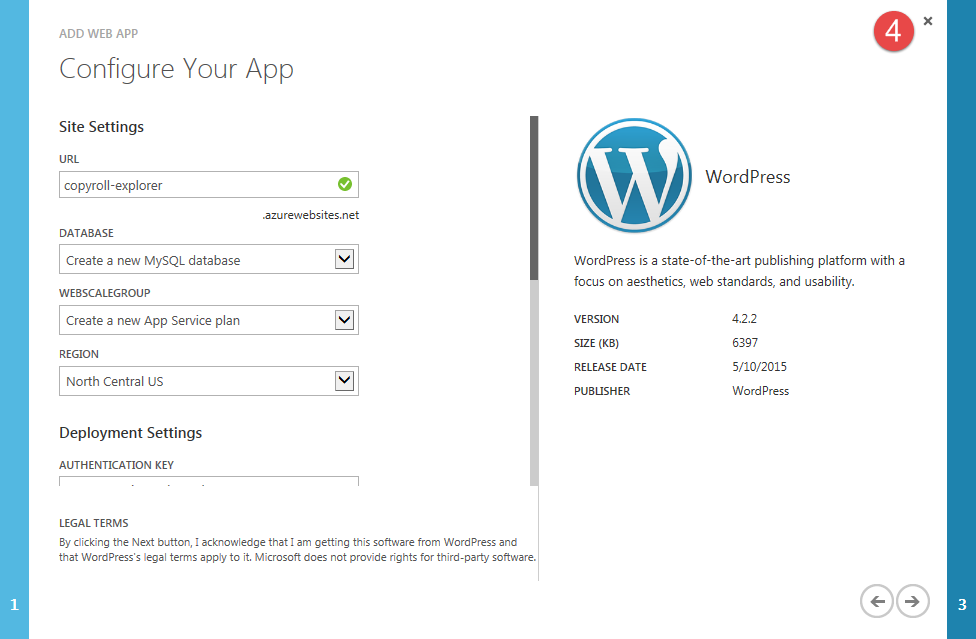
Below Site settings, just enter the name of your site. Leave the rest of the settings, along with Deployment configuration How is it. You can choose a Region a pesar de todo, según su público target¿Qué es un objetivo?En marketing, un objetivo es el resultado que se pretende alcanzar en un periodo de tiempo, a través el uso de los recursos disponibles. Por tanto, se debe formular de una forma clara y hace falta que sea accesible y medible. plus. Continúe con el siguiente paso haciendo clic en el next arrow.
Step # 6
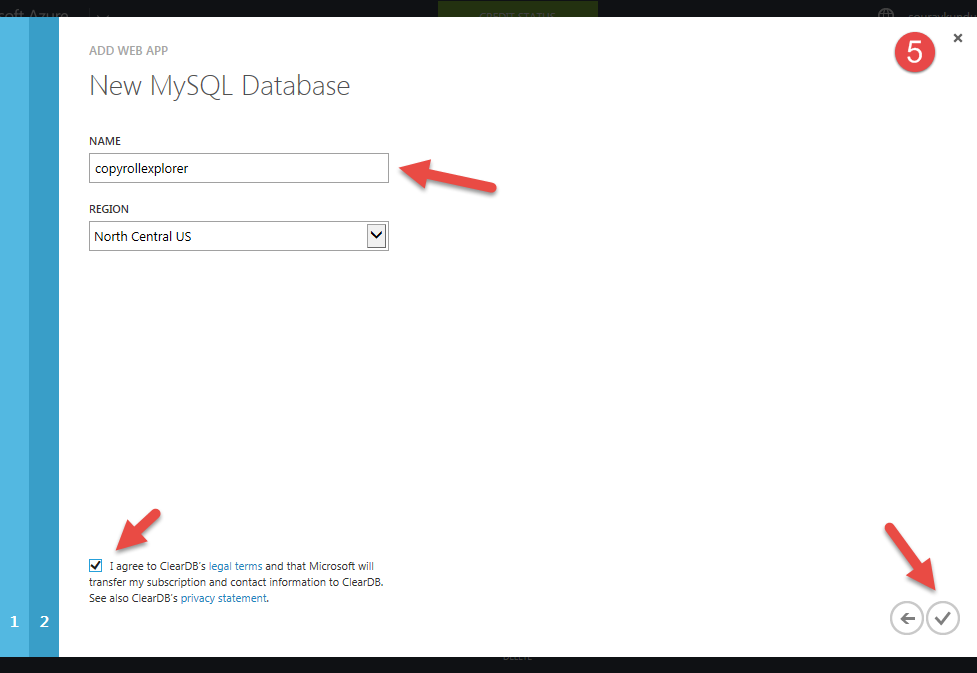
Now how do we know WordPress needs a database para guardar el contentsEl contenido puede ser muy difícil de definir con precisión. Es una definición que se refiere a las declaraciones contenidas en un documento o publicación de cualquier tipo y puede incluir las tecnologías de la información y la comunicación. Esto cubre todos los tipos de medios como imágenes y texto. A parte de esto, en el campo de la optimización de motores de búsqueda, los términos duplicar contenido, contenido único, plus del sitio. En este paso, le daremos un nombre a la base de datos utilizada por nuestro sitio de WordPress. Haga clic en el botón de verificación y Azure comenzará a crear la app web para usted.
Step # 7
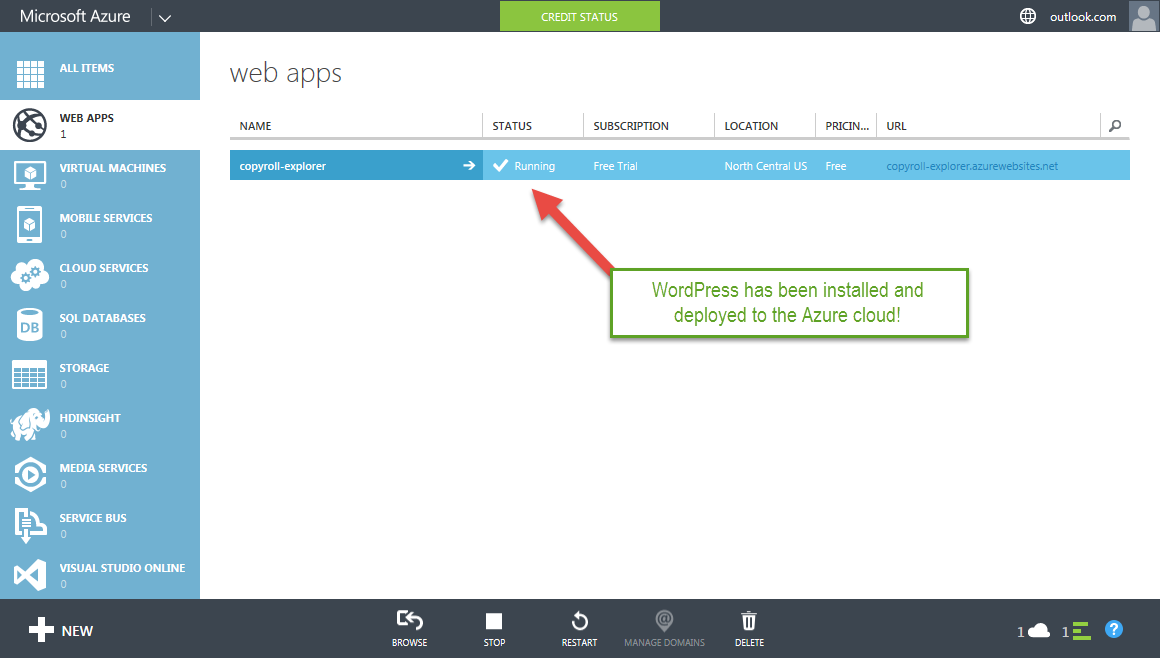
Una vez creada, encontrará una nueva entrada en apps web con el nombre que eligió en el paso 4. Eso es todo WordPress está creado y funcionando. Haga clic en la UrlEl URL (Localizador Uniforme de Recursos), es una dirección definida que apunta a la posición de un archivo en un servidor y lo recupera. Las URL se introducen en un navegador web para ingresar a documentos en la web o se incrustan como hipervínculos dentro de un documento. Se puede usar un Permalink para que una URL esté disponible de forma permanente. Componentes de una URL • prefijo de protocolo plus para iniciar su sitio de WordPress en la nube. Azure le ofrece un subdomainConcepto de Subdominio¿Qué es un Subdominio?Un Subdominio es una extensión que se añade al nombre de un dominio para organizar las distintos secciones que pueda tener su web, aún cuando funcionando de forma totalmente independiente a esta. Por lo general, generalmente son palabras que lo preceden y que se separan de él utilizando un punto para remarcar tanto su independencia como la idea de que son algo desligado del contenido plus gratuito para all your hosted apps.
Step # 8
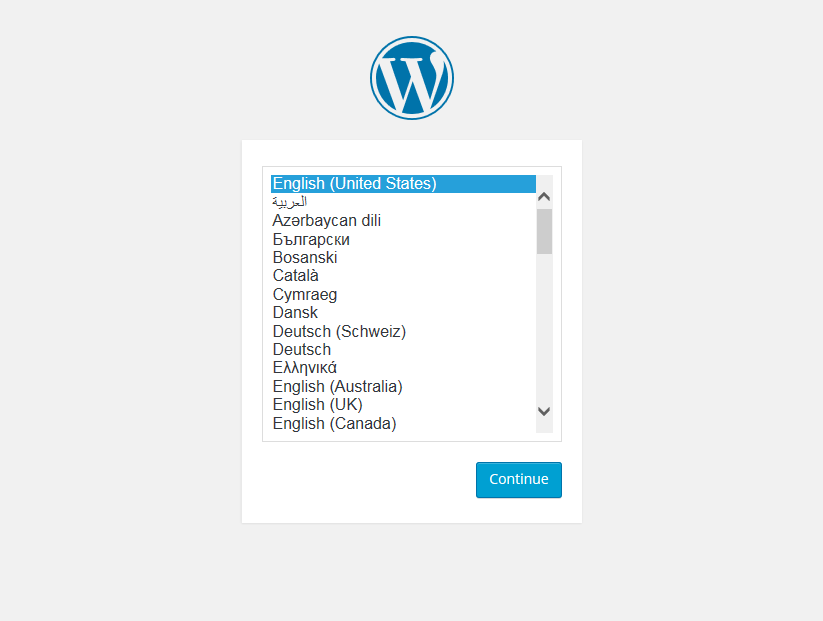
As of now, it is the famous 5 minute installment. Select the language you want and click Follow, continue.
Step # 9
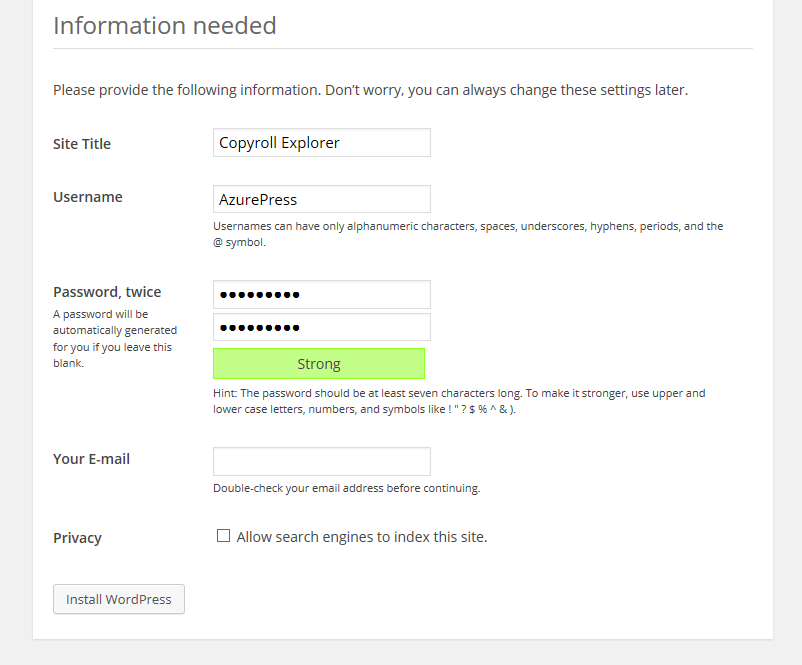
Fill in the necessary information and remember do not use Management as username. I have disabled the Privacy setup since this is a test site. Click on Install WordPress continue.
Step # 10
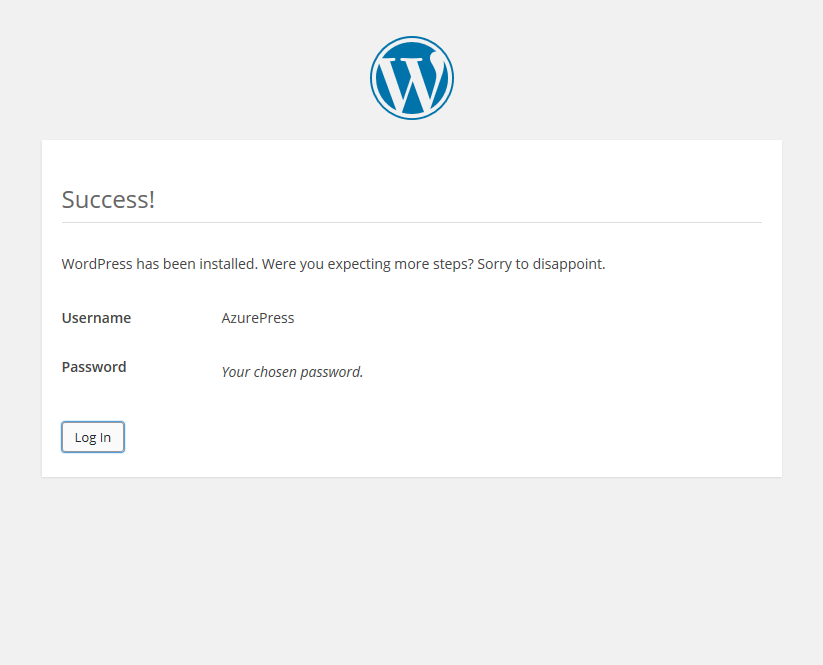
Yes, WordPress has been installed. You can now proceed to log into the WordPress dashboard.
Step # 11
Enter the login details you set in Step # 9 and click Log in.
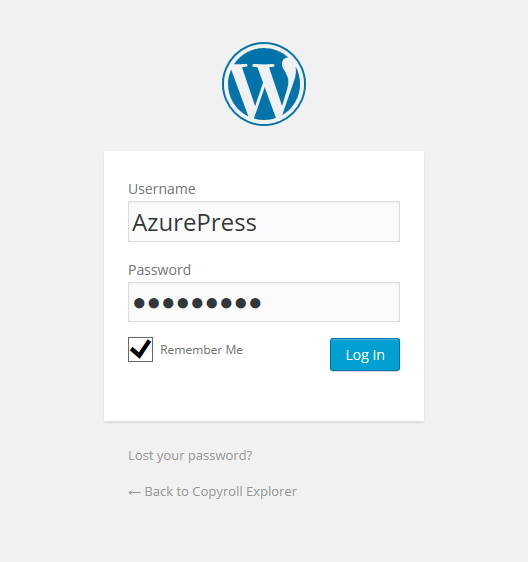
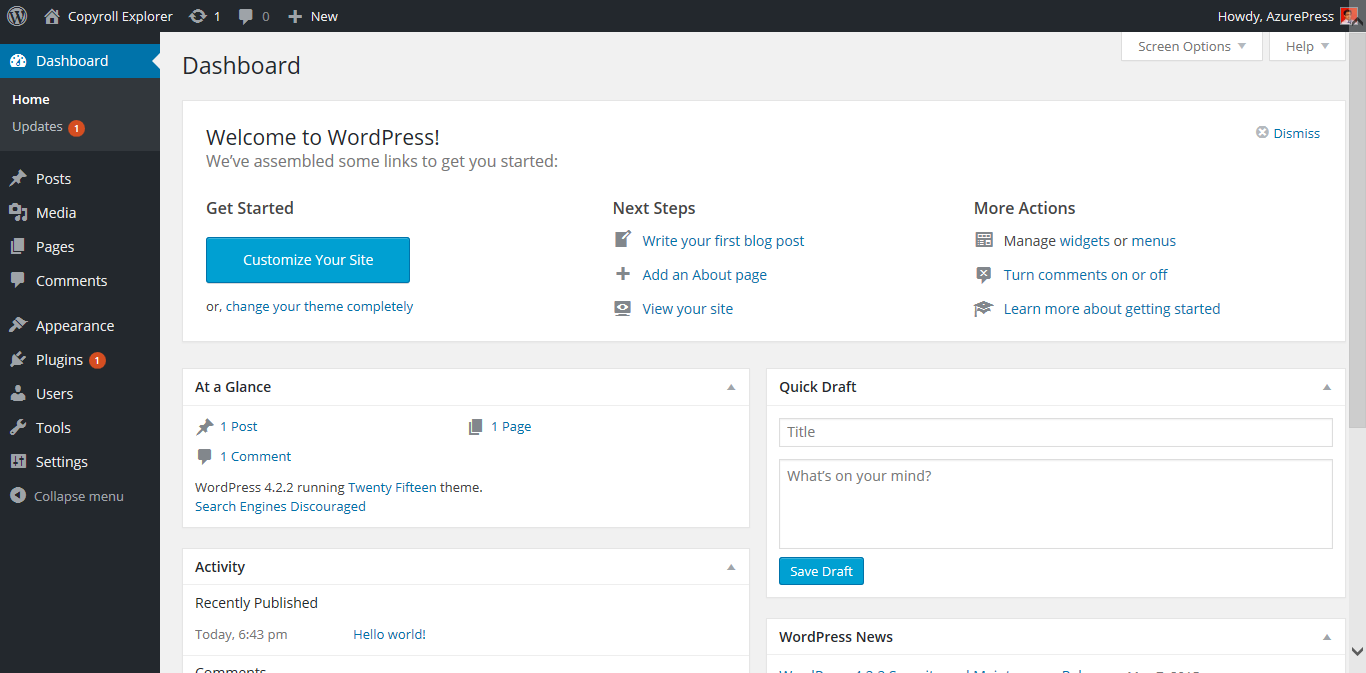
Boom: your WordPress dashboard is ready. Now you can install your favorite multipurpose WordPress theme, add some plugins (maybe Symple Shortcodes 2.0.0?) and add your content.
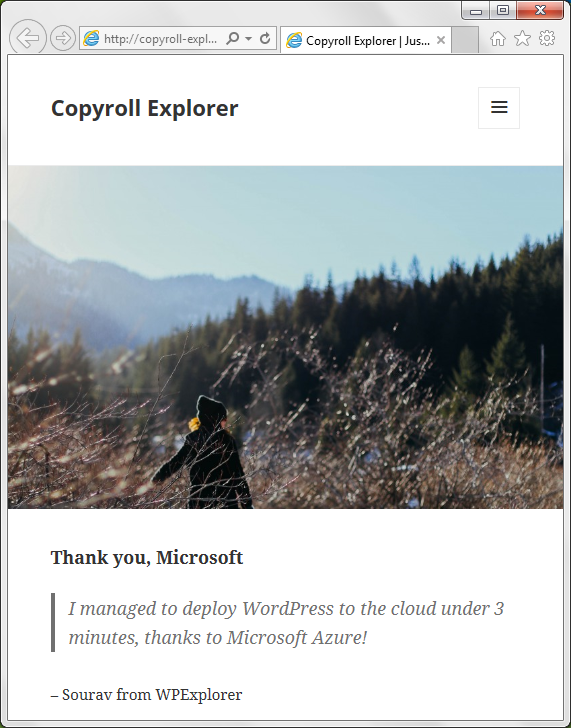
And here is your interface. It works great!
Advanced configuration in Microsoft Azure
I'll be honest with you: there are so many protected features in the Azure admin panel that I hardly know about the 30% of them. Of the few that I understand, I found them quite interesting and am sharing them with you.
To access these settings, you will need to click on the entry for your WordPress web application. This will launch the Board. Under the Setting pestaña, encontrará una gran cantidad de softwareConcepto de Software¿Qué es el Software y cuál es su función?Un Software es la parte lógica, o más bien el soporte lógico, de cualquier sistema de tipo informático. Sea un PC, un teléfono teléfono celular o inclusive una tablet, es todo aquel programa que se ejecuta en él gracias a la coordinación de la parte física, es decir, el hardware, para llevar adelante alguna tarea concretamente o un recopilatorio de plus: .NET, PHPEl PHP es un lenguaje de scripting de código abierto, del lado del servidor, con programación HTML integrada que se usa para crear páginas web dinámicas. Las ventajas de PHP son su flexibilidad y su alta compatibilidad con otras bases de datos. Al mismo tiempo, PHP es considerado como un lenguaje fácil de aprender. Funciones de PHP Las funciones de PHP se relacionan con los scripts del lado del servidor. plus, Java, python, etc., ¡todos los cuales puede habilitar / deshabilitar con un interruptor! ¡Eso es conveniente! No hay necesidad de preocuparse por instalar Java (aquellos que lo hayan hecho antes lo sabrán). Encienda el interruptor y Java estará listo para trabajar.
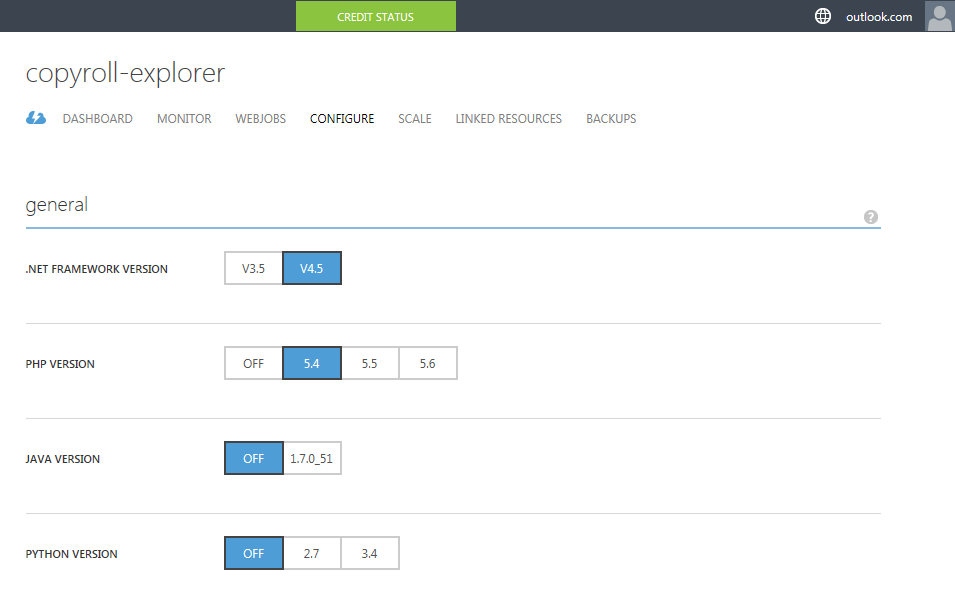
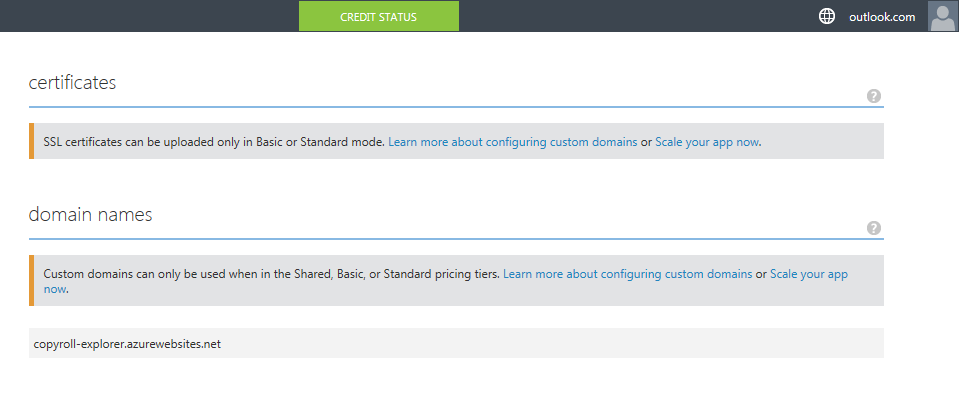
Desafortunadamente, la asignación de nombres de domainUn dominio es una sección de Internet con direcciones que comparten un sufijo común o están bajo el control de una organización o individuo en particular. Está organizado jerárquicamente. Tanto los objetos físicos como los virtuales pueden ser direccionados con el nombre de dominio. Estos objetos pueden ser webs, ordenadores en red o servicios, como impresoras, faxes o servidores de correo. Cada objeto está referenciado por una dirección IP única, plus no está permitida en la ruta gratuita. Le sugiero que actualice a Pay what you consume membershipConcepto de Membresía¿Qué es una Membresía?La Membresía es el término con el que se establece a ese proceso por medio de del que un usuario decide pasar parte de un grupo selecto de consumidores a ojos de una empresa, recibiendo información sobre sus servicios y/o productos, así como algún tipo de bonificación especial. A efectos prácticos, es un concepto totalmente semejante al de suscripción.Como ocurre con las suscripciones, las membresías plus para habilitar nombres de dominio personalizados.
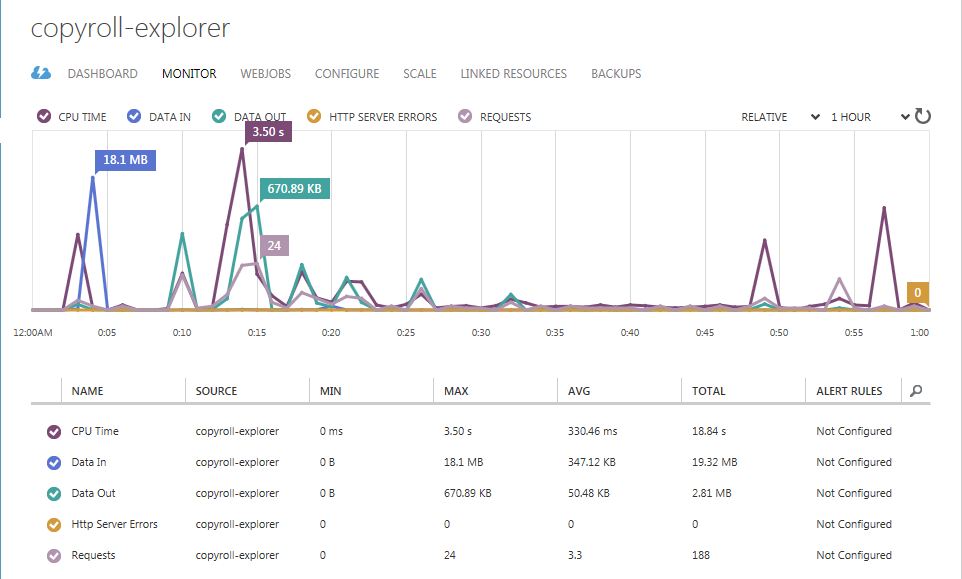
You can get a bird's eye view of the resources consumed by WordPress, relative to a fixed unit of time. The default is one hour and you can change it according to your requirements.
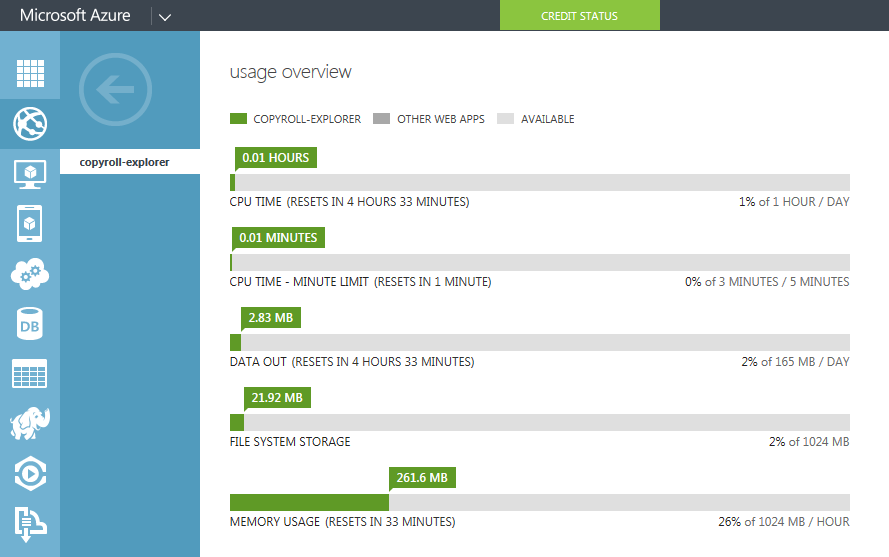
The Usage Summary shows the amount of resources consumed by WordPress. Each of these resources has a restart time. As an example, CPU time is limited to 1 hour every 24 hours. Data egress (or outgoing traffic) is limited to 165MB per day and RAM is limited to 1GB per hour.
conclusion
Installing WordPress on the Microsoft Azure cloud computing platform gives us a glimpse of the amazing things that cloud computing has in store for us. Not just WordPress, you can experiment with multiple instances of all the web apps in the gallery. If you like what you see, give Microsoft Azure a try and let us know what you think!








