
Have a website visually appealing it is essential. In this tutorial you will learn the basics of design with WPBakery.
WordPressWordPress es el software de blogs líder en el mundo, y es concretamente fácil de utilizar y adaptable. Con WordPress, es factible crear con éxito sitios web con la ayuda de funciones ya predefinidas, sin mucho esfuerzo, y para proporcionar contenido como texto, imagen y vídeo. No se requiere conocimiento de HTML. WordPress además facilita la gestión y el mantenimiento de contenidos extensos. Al mismo tiempo de su fácil manejo, plus destaca sobre la mayoría de los content managers debido a que posibilita que los usuarios con pocos conocimientos de programmingConcepto de Programación¿Qué es la Programación?La Programación es el procedimiento al que se recurre para crear algún tipo de aplicación o software, para materializar un concepto o proyecto que requiere de la utilización de un lenguaje informático para poder llevarse a cabo. Es algo que está absolutamente ligado a la figura del programador, y que cada vez está cobrando más relevancia dentro del mundo del marketing.Decimos que tanto esta figura plus puedan tener su propia web.
But if there is a section where WordPress is not so open, it is in that of customizations. And don't misunderstand that WordPress it's super simple and open.
Although it must be admitted that for those users who do not have the minimum knowledge of programming and Web design. It would be a difficult task to thoroughly modify the appearance of some theme or template. Without the help of any tools.
That's where plugins of the type come into play page builders or visual mock-ups. Of which we have spoken to you extensively in: the best visual mockups for WordPress.
Among the most used visual builders such as: Beaver Builder, SiteOrigin Page Builder and Elementor was Visual Composer the most popular of all.
To the point that a few years ago saying web design through visual layout designers was the same as saying Visual Composer.
It is no accident that Visual Composer will become the pluginConcepto de Plugin¿Qué es un Plugin?Un Plugin es un fragmento o componente de código hecho para ampliar las funciones de un programa o de una herramienta. En el ámbito del marketing digital, especialmente dentro del marketing de contenidos, es algo que se utiliza con mucha frecuencia dentro de entornos como WordPress, puesto que sirven al momento de contar con añadidos que hagan mucho más cómoda y completa la experiencia de plus most downloaded WordPress of all codecanyon.
Now that Visual Composer once has become WPBakery Page Builder.
What is WPBakery?
WPBakery Page Builder is, as its name implies, a site builder of the type visual designer.
And to date it has 358,384 downloads. Which means that almost three hundred and sixty webmasters They entrust the design work to this plugin. Its makers proudly say that more than two million WordPress websites have been designed using WPBakery Page Builder. Not negligible amount.
The point is that to date there is little (or rather no) tutorial on WPBakery Page Builder in Spanish.
To who CourseWpress.com In this installment we will review some of the basic principles of design with WPBakery Page Builder as well as some features of the plugin.
Features of WPBakery Page Builder
What we like about WPBakery Page Builder
- Light (although we have tried visual mock-ups lighter)
- It comes ready to design (you don't need to configure it) it is the type install, activate and design.
- It includes dozens of predesigned pages with interesting utilities such as: Call to actions, galleries, message boxes, etc.
- The logo (everything has to be said).
How to use WPBakery Page Builder
Once you start the WPBakery Page Builder you realize that it looks like any other layout designer visual. In other words, you find the typical tools for Web design.
What stands out - and is something that the developers of this plugin proudly boast - is the option of:
Backend Editor.

But you don't need to go to the Backend to design your pages.
Diseñando en WPBakery desde el FrontendEl frontend de una web describe la parte que el visitante puede ver. Incluye todo el contenido que se muestra y que es visible para el público o los usuarios que han iniciado sesión. Diseño del frontend El frontend es muchas veces llamado GUI (Graphical User Interface) porque es la interfaz que los visitantes pueden ver y utilizar. El frontend se usa principalmente para mostrar varios tipos de contenido y plus
With this layout you have three design possibilities:
- From the frontend
- From the backend (like the WordPress page editor but incorporating design items from the WPBPG)
- And with the classic view (accessed through the backend).
At frontend you have two possibilities:
The first, adding a new item (if you are looking to start designing your page from scratch).
The second, (and the most recommended if you want to save time) using templates.
In the section of templates the possibilities are endless.
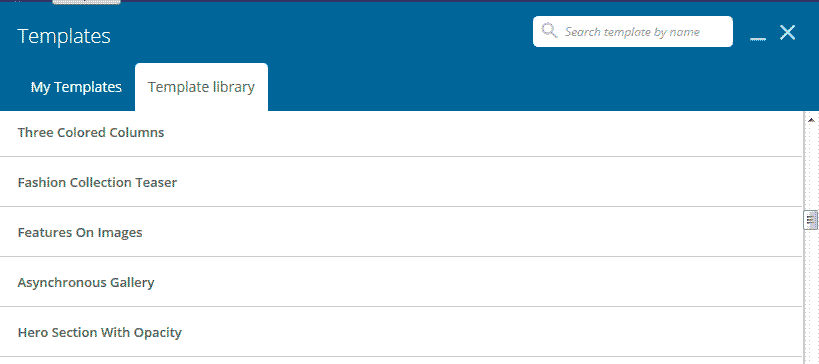
Insert the template you want (preferably on a blank page) and start modifying the items.
How to modify items with WPB
If you are familiar with visual mock-ups It will be easy for you to start designing using WPBPB.
In case it is your first time with this type of tools we will show you the basic principles of its operation.
To modify an element you must place the cursor on it.
Doing so will bring up a series of options.
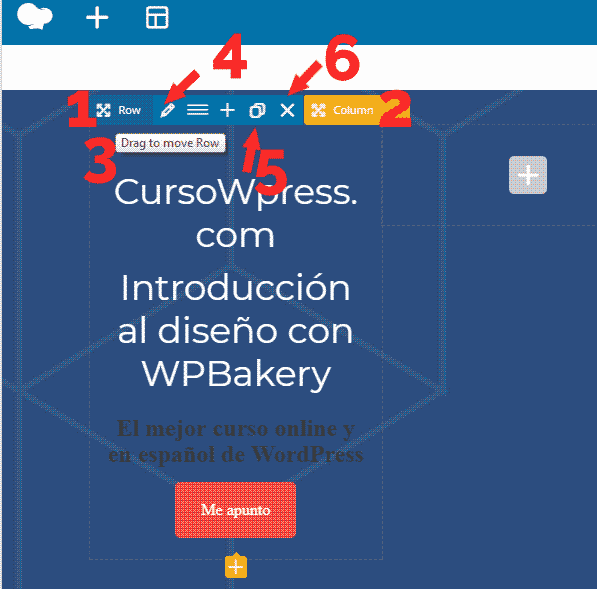
- Row Layout- Row Design:
- Column Settings - Column Configuration
Although there are options common to all items, options such as:
- Drag to move - Drag to move item
- Edit - Edit item
- Clone - Clone item
- Delete - Remove item
Once we know this we can easily modify (or create any element from scratch). Design principles apply to everything.
We will modify this section, which may well be used for a call to actionUna campaña call to action (“llamada a la acción”) es una invitación dirigida al público objetivo con intención de provocar una reacción específica. Es decir, generar Conversión. Un call to action puede aparecer en forma de texto, de imagen, o como una combinación de ambas. El CTA es muchas veces un prerrequisito para que el usuario interactúe con el sitio. Definición Se considera un anuncio “call to action” (CTA) a plus cash in some landing pageUna landing page, o página de aterrizaje, es una página que contiene información y se crea específicamente para una campaña publicitaria. Las landing pages son fundamentales para las campañas publicitarias en cualquier ámbito del Marketing Online como, por ejemplo, el E-Mail Marketing, el Display Marketing y el SEO. La característica principal de las landing pages es la presentación original del contenido y del diseño que logran que la campaña publicitaria plus.
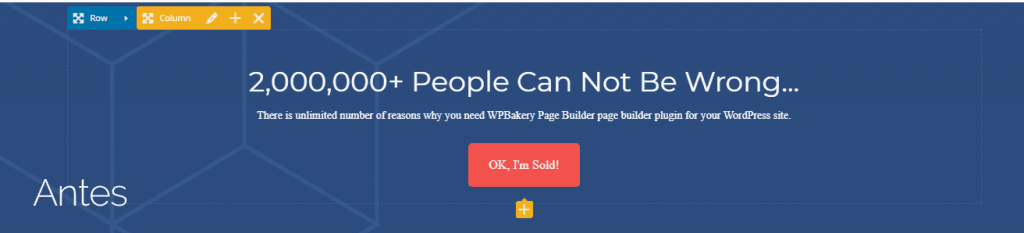
Lo primero será modificar el texto del headerConcepto de Header¿Qué es el Header?El Header, encabezado en español, es una definición que se usa en el terreno del diseño y la programación web para referirse a la parte de arriba de una página. Se trata del primer punto a ver por cualquier usuario que entra en un portal web, por lo que cuenta con una responsabilidad enorme y ha de contener la carga informativa esencial para mostrar la plus.
We place the cursor on the text to modify.
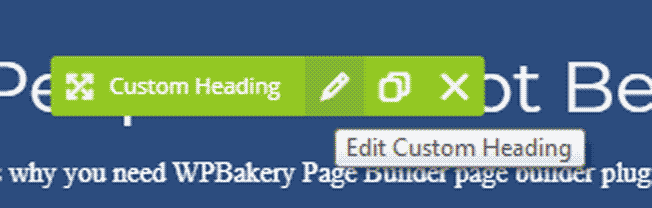
We click edit.
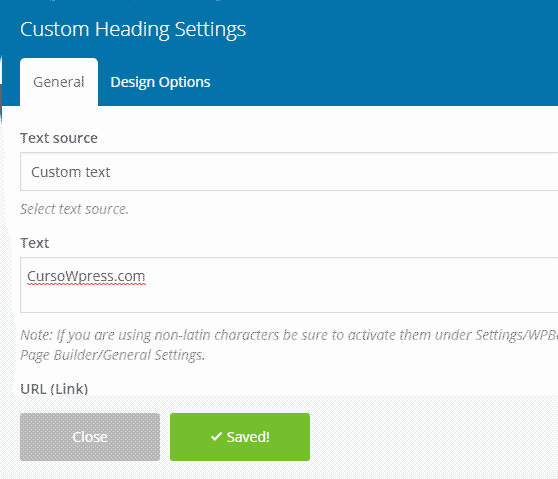
Options will open
We modify the text. We will place:
CourseWpress.com
We save the changes.
We repeat the operation with the next text element. We save the changes.
To modify the button we click edit button.
The options corresponding to that element.
Agregamos un texto. Y un linkConcepto de Dominio¿Qué es un Enlace?En Internet, un link, además conocido como enlace o hipervínculo, es cualquier texto o imagen que se encuentra en una página web y en la que el usuario puede pulsar o clicar para ser dirigido a otro contenido distinto. Es el principal medio de “desplazamiento” en la red, puesto que se encuentra presente en prácticamente cualquier portal que visites a día de hoy, inclusive en plus.
We can choose the style of the button.
We choose the classic style.
In the menu it is possible to modify at the same time: border, colors, finish, size. And the color.
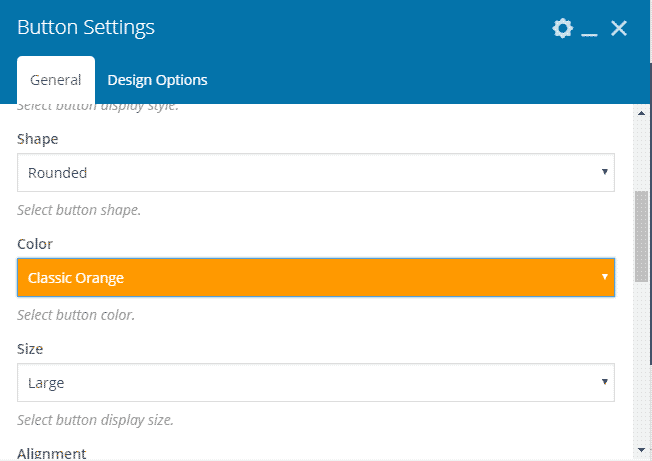
For the occasion we will choose an orange. Classic, obviously. We save the changes and that's it.
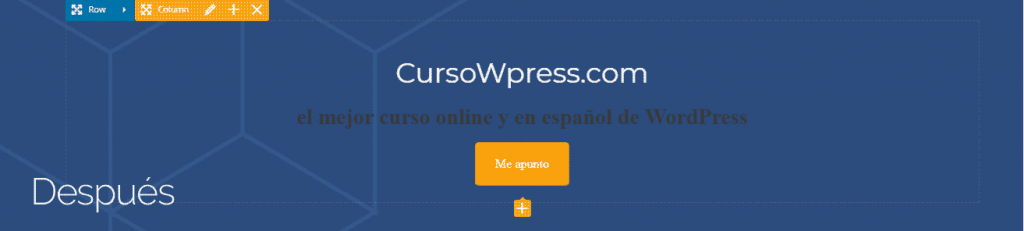
The design process with WPBakery can be summarized as
- You create or modify an element (depending on whether you work from scratch or with templates).
- You modify the element according to your needs.
- You save the changes and enjoy your design.
Obviously web design is a large business. And this is just the beginning. If you need to follow learning you can sign up to the best online and Spanish WordPress course and become an expert.








