
The editor of WordPressWordPress es el software de blogs líder en el mundo, y es concretamente fácil de utilizar y adaptable. Con WordPress, es factible crear con éxito sitios web con la ayuda de funciones ya predefinidas, sin mucho esfuerzo, y para proporcionar contenido como texto, imagen y vídeo. No se requiere conocimiento de HTML. WordPress además facilita la gestión y el mantenimiento de contenidos extensos. Al mismo tiempo de su fácil manejo, plus it has stayed about the same for a long time (almost ten years). Gutenberg, the new visual editor WordPress incorporates some changes and in CourseWpress.com we tell you which ones.
What is Gutenberg?
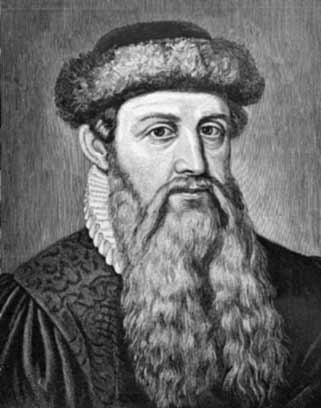
Gutenberg was the surname of a German, who is credited with inventing the movable type printing press (who had already invented the chinese a few centuries earlier) which was a revolution in knowledge. Movable type printing made it easy to massification of ideas through the books.
And if you ask yourself now:
Why Gutenberg on WordPress?
Well we tell you that:
The developers took the name of the German printer for the new WordPress visual editor because they want this new editor to be a revolution in the way of Edit contentsEl contenido puede ser muy difícil de definir con precisión. Es una definición que se refiere a las declaraciones contenidas en un documento o publicación de cualquier tipo y puede incluir las tecnologías de la información y la comunicación. Esto cubre todos los tipos de medios como imágenes y texto. A parte de esto, en el campo de la optimización de motores de búsqueda, los términos duplicar contenido, contenido único, plus in WordPress.
The idea of putting into practice Gutenberg is to make the task easier for users, especially new ones. With special emphasis on what refers to the multimedia content.
Gutenberg Features
- Editing based on blocks which supposes that at some point it will make the shortcodes and the widgetsConcepto de Widgets¿Qué son los Widgets?Los Widgets son una serie de pequeños programas que se usan para añadir funciones, simplificar o automatizar aquellas acciones que se lleven a cabo a menudo dentro de una web. Son herramientas adicionales, añadidos que se elaboran con la finalidad de hacer más fácil las labores de mantenimiento o inclusive de generación de contenidos dentro de cualquier sitio de Internet y que no han hecho plus
- Gutenberg looks at the editor as a full screen interface (because the blocks unify the interface).
An important fact about Gutenberg is that it seeks to be a replacement for all visual mock-ups that exist in the market.
Yes, the developers of this new editor want the design is easy for all. And that the additional tools to modify our pages is a thing of the past.
How to test Gutenberg, the new visual editor for WordPress
As of the date of publication of this article Gutenberg it has not yet been released by default. But for the version of WordPress 5.0 will be the official editor.
One way to test it is by downloading it as a pluginConcepto de Plugin¿Qué es un Plugin?Un Plugin es un fragmento o componente de código hecho para ampliar las funciones de un programa o de una herramienta. En el ámbito del marketing digital, especialmente dentro del marketing de contenidos, es algo que se utiliza con mucha frecuencia dentro de entornos como WordPress, puesto que sirven al momento de contar con añadidos que hagan mucho más cómoda y completa la experiencia de plus from the official WordPress repository.
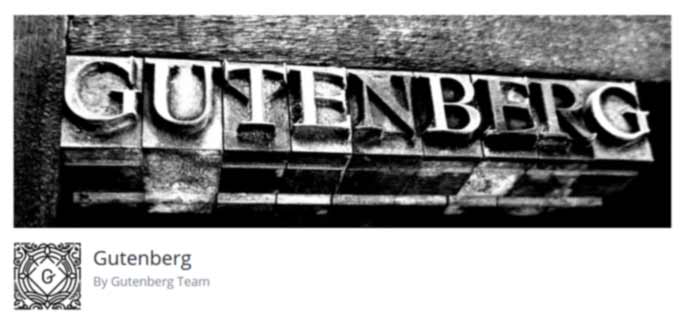
It will be easy for you to distinguish it:
For its peculiar header, its tagline:
By Gutenberg Team
And its more than 10,000 active installations.
When you install it, you will have the option to see how it reacts on your work environment real.
Warning:
Before installing the new WordPress editor read the following point:
How to test your theme with Gutenberg
One way to know if you theme is supported with Gutenberg is installing it.
Pero no queremos instalarlo en nuestro BlogEl término blog se usa para describir un diario virtual en Internet. El autor de un blogger puede publicar posts sobre cualquier tema. Los posts suelen estar presente de forma cronológica. El estilo de redacción de un blog suele ser informal y se escribe en primera persona. No obstante, además son posibles otros estilos, por ejemplo en el caso de los periódicos online, en los que la atención se centra plus que está en línea y en producción. Pues no queremos take no risk. Therefore we will install it in a clone of our website.
This way we will know if when installing Gutenberg we will have some conflict all at once (plugins, widgets and other utilities and customizations) without putting our online web in trouble.
How do you do this?
Easy.
If you are a frequent reader of our tutorials you will know how create a clone of your website with XAMPP. In case you need, we will remind you, we share with you the links to the tutorials:
What will I find in Gutenberg?
Once the work of installation and activation of the new visual editor. To see it in operation we have to follow the following route:
Tickets> All tickets
O well:
Pages> All Pages.
Once in our input section (or pages) with just a glance we will not notice anything new.
To put Gutenberg into action you must:
- Position the cursor on any entry or page already created:
- You will notice that a new option appears (classic editor)
- Click on Edit.
- You will see that you old entrance or page appears in a different editor.
Another way to see Gutenberg in progress is creating a new post (or a new page).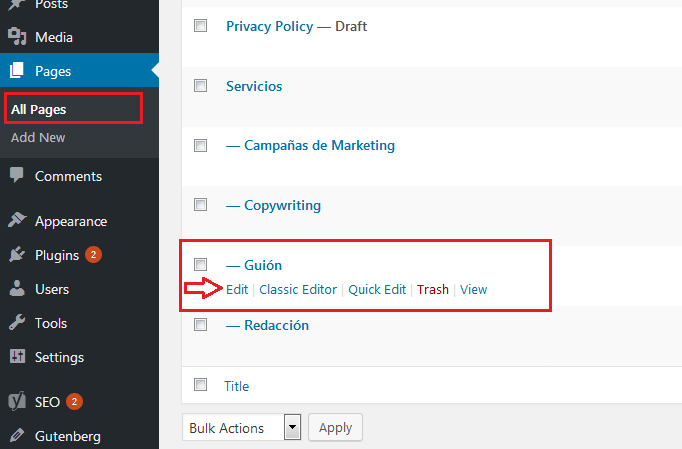
Instead of the old classic editor (TinyMCE) with its buttons, which was the closest thing to a text editor how Word, you will find two boxes:
- One for him qualification.
- Another for him contents or as the Gutenberg people put it: for you to write your story (yes, very romantic).
- You enter your title
- If you are like most bloggers who write their content in Word or another text editor and then transfer it to WordPress copy your article.
- Paste your text in the space for write your story ...
Where are the menu and buttons in Gutenber?
The menu and buttons Gutenberg They will appear displayed as you position, with the cursor, on the content.
Si te posicionas sobre el título H1Concepto de H1¿Qué es un H1?El H1 es un elemento primordial en cualquier página web y algo que nace del lenguaje HTML. Consiste en una etiqueta que suele utilizarse para indicar el fragmento más importante de una página, normalmente la cabecera que más ha de señalar en ella y captar la atención del lector.Su conocimiento y su utilización son algo primordial de cara al SEO e inclusive de cara a plus: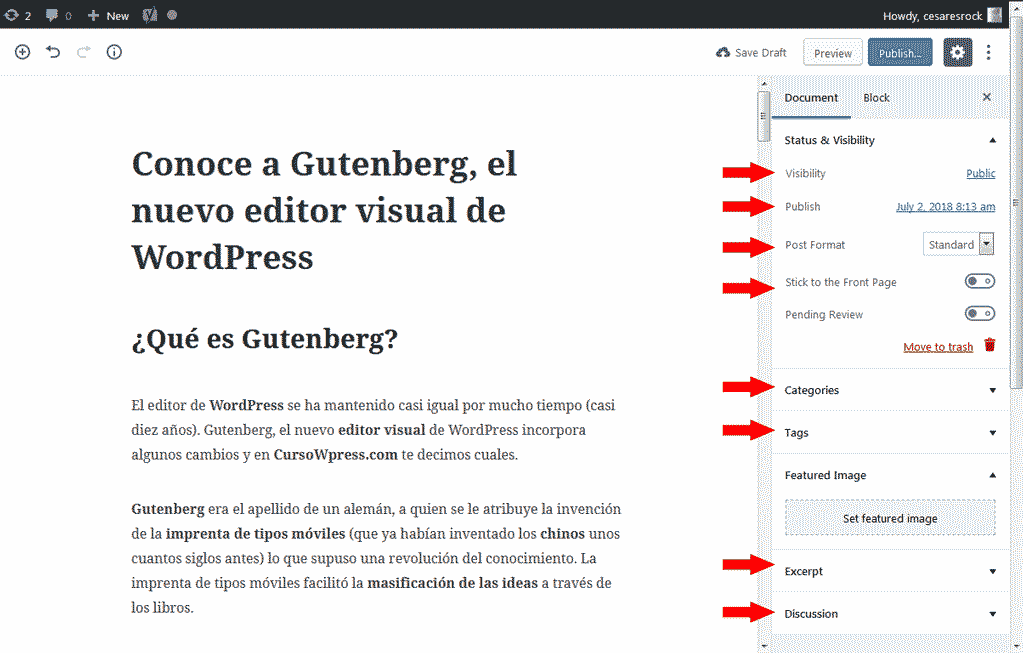
You will see options like:
- El estatus y visibilidad de tu postConcepto de Post¿Qué es un Post?Un Post es todo aquel contenido, sea post, opinión, noticia u otro género, que un autor publica en un blog. Este puede ser de carácter corporativo o meramente ocioso; pero siempre tiene como meta arrojar información o reflejar una idea, al mismo tiempo de facilitar que los usuarios encuentren la web donde se recoge por medio de de buscadores y demás plataformas online.Generalmente, se han plus (público, privado, borrador, programado o publicado).
- Categories
- Tags or Tags
- Featured image
- The summary
- And if you need to enable the comments and the Pingbacks and Trackbacks.
If you position yourself on a subtitle or H2 title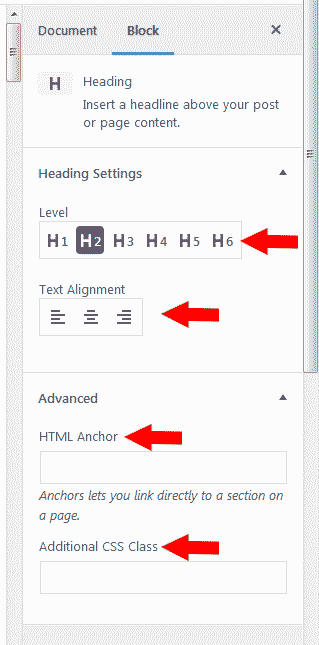
In case you stand on a subtitle with an H (from h2 to the h6) the options that appear are:
- H level selection (from h1 to the h6)
- Text alignment (left, center, or right)
At the same time as other advanced options such as:
- Posibilidad de incorporar una UrlEl URL (Localizador Uniforme de Recursos), es una dirección definida que apunta a la posición de un archivo en un servidor y lo recupera. Las URL se introducen en un navegador web para ingresar a documentos en la web o se incrustan como hipervínculos dentro de un documento. Se puede usar un Permalink para que una URL esté disponible de forma permanente. Componentes de una URL • prefijo de protocolo plus
- Adicionar un estilo CSSConcepto de CSS¿Qué es el CSS?CSS es un lenguaje de programación que se usa para definir el estilo y el aspecto de un documento que se ha escrito mediante de un lenguaje de etiquetas, como HTML. Conocido además como hojas de estilo en cascada, es el que se emplea para dar colores, indicar tipos de letra o inclusive resaltar aspectos como el espacio entre items para dotar de estilo a plus.
In case you position yourself on a text block
The options corresponding to the text content will be displayed, such as:
- Font size (you can choose the size you want)
- Put an initial capital letter larger than the rest of the text
- Change the text color
- Change the background color.
In conclusion:
Gutenberg opens up an infinite universe of possibilities when it comes to editing and design. And we will explore them all. If you want to continue learning with we have prepared the best online WordPress course in Spanish. What are you waiting for to sign up?








