
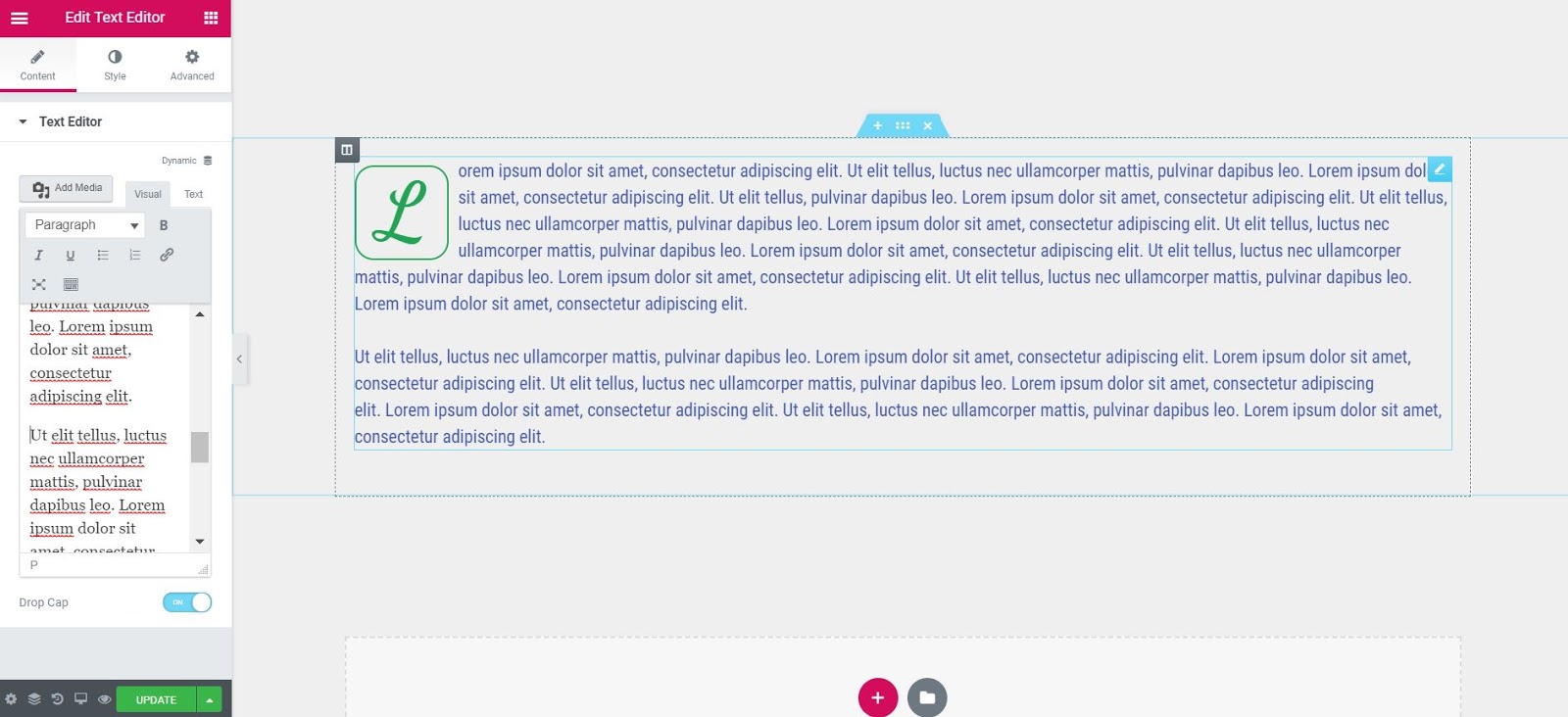
El widget Editor de texto es un editor TinyMCE WYSIWYGWYSIWYG es un acrónimo que significa "Lo que ves es lo que obtienes". Esta expresión se usa para los sistemas de creación de documentos Web (por ejemplo, editores HTML) y otros formatos como los programas de procesamiento de imágenes que imprimen el contenido en una pantalla precisamente igual que se mostrará más tarde en otros dispositivos de usuario, como una impresora o un navegador. Información general Los editores WYSIWYG disponen plus que se comporta como el editor visual clásico de WordPressWordPress es el software de blogs líder en el mundo, y es concretamente fácil de utilizar y adaptable. Con WordPress, es factible crear con éxito sitios web con la ayuda de funciones ya predefinidas, sin mucho esfuerzo, y para proporcionar contenido como texto, imagen y vídeo. No se requiere conocimiento de HTML. WordPress además facilita la gestión y el mantenimiento de contenidos extensos. Al mismo tiempo de su fácil manejo, plus. Puede ingresar texto enriquecido, imágenes e incluso códigos cortos de WordPress.
In addition to the functions that normally appear in the TinyMCE editor, this widget also gives you more style options that allow you to change settings such as font weight, line height, letter spacing, alignment, and more.
ContentEl contenido puede ser muy difícil de definir con precisión. Es una definición que se refiere a las declaraciones contenidas en un documento o publicación de cualquier tipo y puede incluir las tecnologías de la información y la comunicación. Esto cubre todos los tipos de medios como imágenes y texto. A parte de esto, en el campo de la optimización de motores de búsqueda, los términos duplicar contenido, contenido único, plus
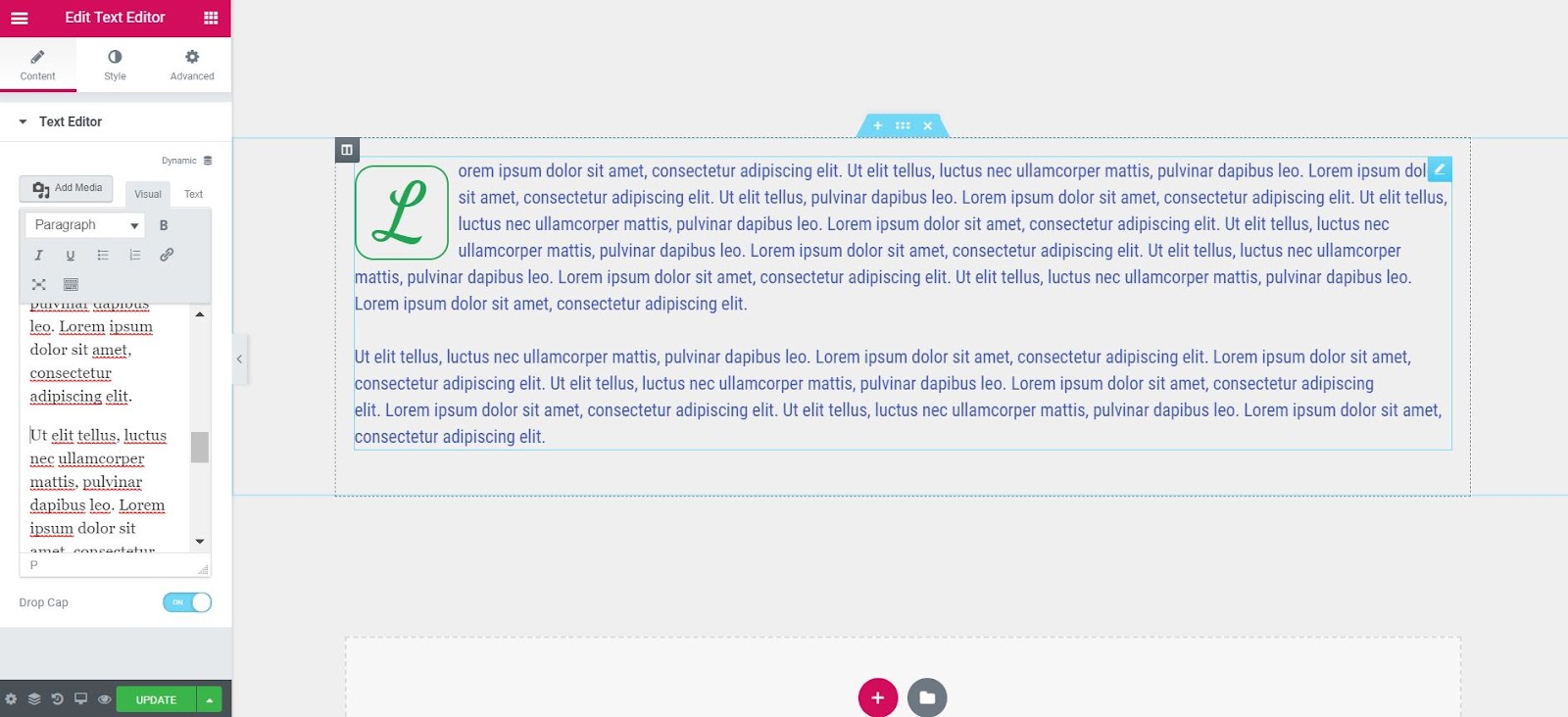
Cap: Slide ON to set the first letter of the text as a drop cap, making it larger and giving you the ability to style it independently of the rest of the text.
Style
Text editor
- Alignment: Aligns text to the left, right, center, or justified
- Text color: Choose the text color
- Typography: Sets the typography options for the text
- Columns: Select the number of columns to divide the text into
- Column spacing: Sets the width of the space between columns
Cap
- Watch: Select the capital letter view style, choosing from Default, Stacked, or Framed
- Primary color: Choose the color of the capital letter
- Space: Select the exact space between the drop cap and the rest of the text
- Edge radius: If Stacked or Framing is chosen as View, set the border radius to control the roundness of the corners
- Typography: Sets the font options for the uppercase letter
Advanced
Set the advanced options that are applicable to this widget
Example of dividing text into multiple columns
How to wrap text around images with the Text Editor widget
Users sometimes ask how to fit text to images in Elementor. This is an excellent use of the Text Editor widget. Just drag the widget, click Add Media, and upload an image of your choice to WordPress Media Library. Then click on the image and adjust the alignment settings to wrap the text around the image, with the image to the right or left of the text.

Text editor widget missing on Visual and Text tabs?
 es un protocolo que permite determinar una conexión segura entre el servidor y el cliente, que no puede ser interceptada por personas no autorizadas. En resumidas cuentas, es la versión segura de el http (Hyper Text Transfer Protocol) Cómo funciona Una conexión HTTP estándar en Internet puede ser fácilmente secuestrada por partes no autorizadas. El propósito de una conexión HTTPS es evitar esto: encriptar<span class="glossaryai-more-link"> <a href="https://rmarketingdigital.com/en/wiki/https/" data-wpel-link="internal">más</a></span></span></span></span></span>://rmarketingdigital.com/wp-content/uploads/2020/09/file-aPUIIP0Ps0-6074462.png)
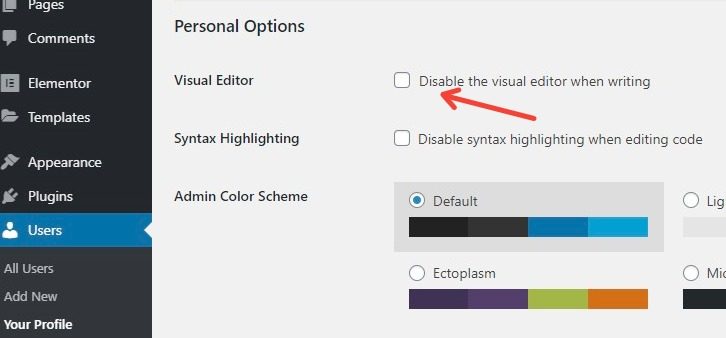
the Text editor widget respects the user's choice in WordPress settings to enable or disable the Visual tab. If your tabs are missing, go to WordPress Control panel> Users> Your profile and uncheck the option to disable the Visual editor.
Note: The Typography el estilo, así como otras opciones de estilo, del texto dentro del Editor de texto solo afecta al texto de párrafo normal. Si ha cambiado algo del texto dentro del editor de texto a un encabezado (H1Concepto de H1¿Qué es un H1?El H1 es un elemento primordial en cualquier página web y algo que nace del lenguaje HTML. Consiste en una etiqueta que suele utilizarse para indicar el fragmento más importante de una página, normalmente la cabecera que más ha de señalar en ella y captar la atención del lector.Su conocimiento y su utilización son algo primordial de cara al SEO e inclusive de cara a plus, H2, H3, etc.) o cualquier otro tipo de etiqueta además de Párrafo, entonces el Style las opciones no afectarán ese texto. El texto que utilice etiquetas HTMLHTML (Hypertext Markup Language) se usa para estructurar el contenido de texto de un documento web. No sólo se marca el contenido, sino además la meta-información que describe este contenido. Las páginas HTML se almacenan normalmente en el directorio raíz del servidor. Cómo se creó En la era digital, a los usuarios les resulta difícil hallar su camino en las webs y hacer un seguimiento de las estructuras de las plus distintas de
in the Text Editor widget it will inherit the typography style from your theme or what you have set in the global Elementor Theme Style settings.








