

 es un protocolo que permite determinar una conexión segura entre el servidor y el cliente, que no puede ser interceptada por personas no autorizadas. En resumidas cuentas, es la versión segura de el http (Hyper Text Transfer Protocol) Cómo funciona Una conexión HTTP estándar en Internet puede ser fácilmente secuestrada por partes no autorizadas. El propósito de una conexión HTTPS es evitar esto: encriptar<span class="glossaryai-more-link"> <a href="https://rmarketingdigital.com/en/wiki/https/" data-wpel-link="internal">más</a></span></span></span></span></span>://rmarketingdigital.com/wp-content/uploads/2021/04/portada-llamar-desde-fijo-con-pc-7609179.jpg)
<noscriptNoScript es un complemento del navegador para Mozilla Firefox, que impide que se cargue en las páginas web contenido como JavaScript, Flash o iFrames. Su objetivo es incrementar la seguridad durante la navegación y quitar la promoción comercial más molesta al cargar sitios web. El términoNoScript tiene un significado distinto en la programación HTML. Cuando JavaScript está desactivado, la etiqueta <noscript> o </noscript> asegura que el usuario pueda ver el plus>

At the end of the 90s, it was increasingly common to see people talking in the street with mobile phones, mobile phones that had very expensive rates, there was no internet connection and their functionality was focused on make calls and send text messages.
Over the years, new phones with bigger screens with more features such as the internet connection, the camera, the games ... until today that allow us to do practically the same as on a PC.
The biggest loser was fixed telephony, mainly due to the high cost of monthly fee, more expensive than a cell phone but without enjoying the versatility it offers us. Despite everything, operators have been able to adapt to user demand and have replaced the traditional copper lines of landlines by integrating them into fiber and ADSL lines.
This has allowed the price of the monthly payment of the telephones to have been reduced considerably in these years and today it is practically free. if we hire several services with the same operator. But what happened to landlines?
Landlines have evolved like cell phone telephony, even if to a lesser extent. The models of landlines that we find today offer us the same functions as the first mobile phones: wireless, a screen, address book, call log and little more.
How to call from a landline with a PC
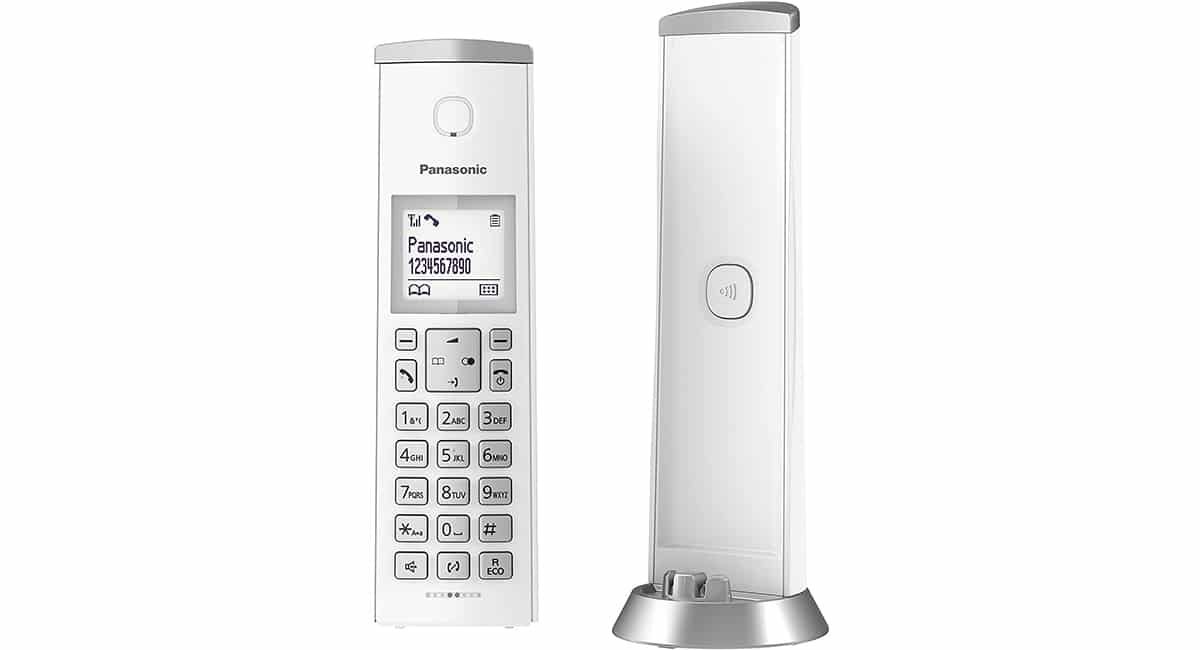

Panasonic is one of the manufacturers that best value for money It offers us today in the world of fixed telephony, a manufacturer that puts at our disposal a large number of models to cover the needs of all users.
If you already have a phone from this manufacturer or are planning to buy one, we will show you how you can use your Panasonic cordless phone or from any other manufacturer, from your computer, since the manufacturer's brand has no influence.
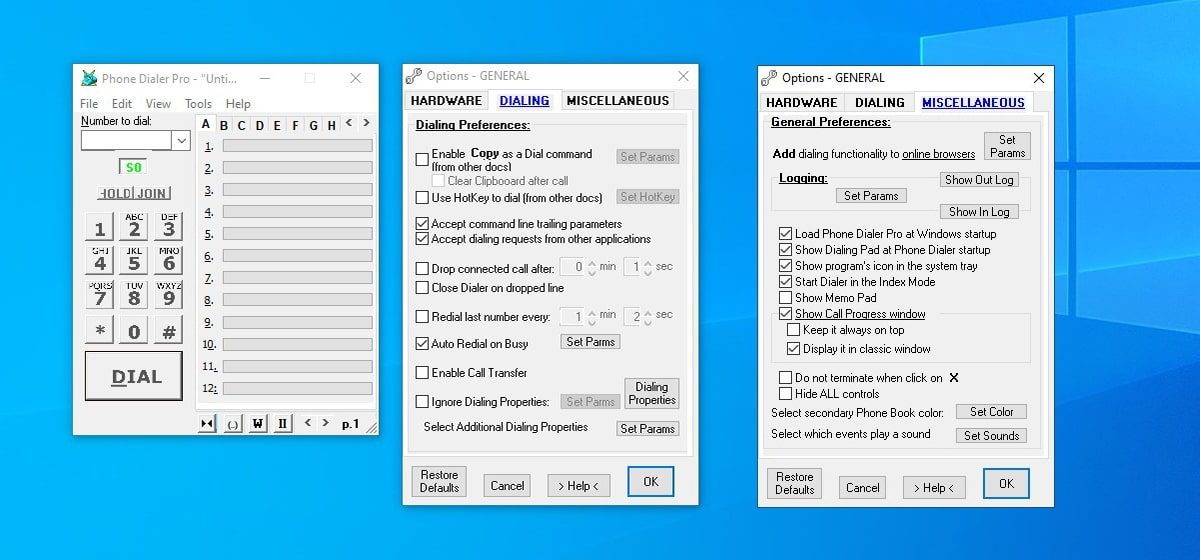
Phone Dialer Pro

If you have a computer with a veteran operating system, you can make use of a modem, the devices that were used in the past to connect to the Internet and that have an RJ-11 connection to connect the telephone line of our house for this. instead of the traditional RJ-Four. Five, through an application make calls.
Apparently, the modem requires an application to work. For this case, we are talking about the application. Marker, an application that can be found in versions of Windows up to XP. This application allows us to use our PC as if it were a landline but with the convenience of being able to use a headset forever to make calls.
Another application that also enables us make calls from our PC Making use of a modem connected to the landline of our house is through the Phone Dialer Pro application, an application compatible even with Windows 10.
Through SkypeSkype es una aplicación que permite principalmente la telefonía por Internet por medio de de VoIP (Voz sobre IP). La app además permite el envío de mensajes, imágenes y archivos en distintos formatos. El programa está habilitada de forma gratuita para varios dispositivos como ordenadores, smartphones o tablets. Skype es una subsidiaria de Microsoft desde 2011. Información general La app Skype fue fundada en Luxemburgo en 2003 por Niklas Zennström plus con número de socio
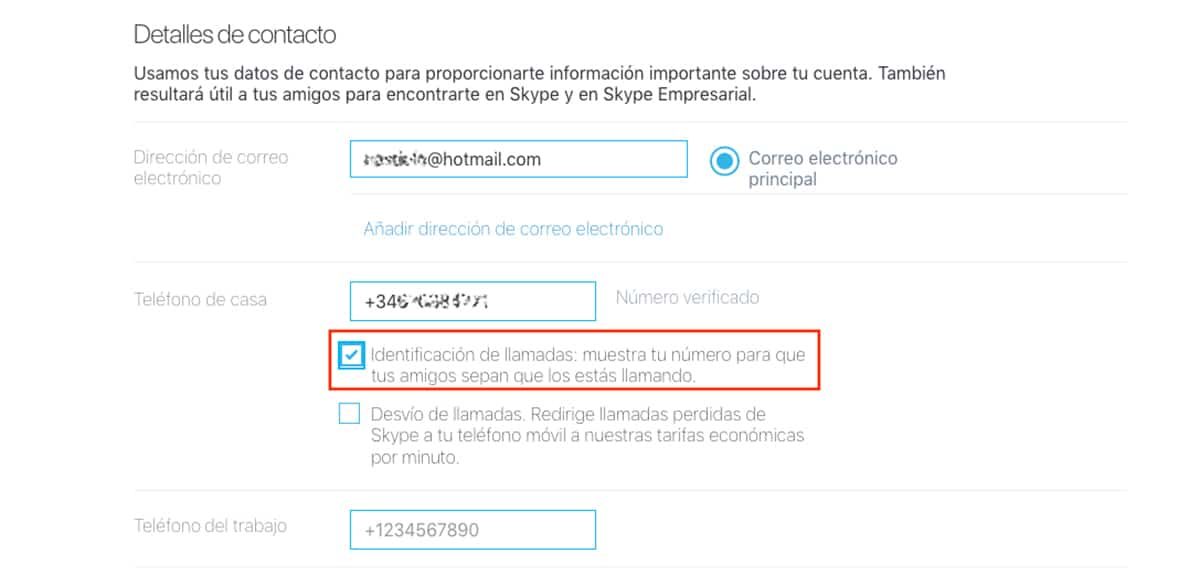

Skype, now owned by Microsoft, was the first company to launch a service or calls over the internet, a service that allowed you to call other users over the Internet completely free of charge. Skype is available for Windows and macOS, Android, iOS, and Linux.
As this service evolved, better ones were added such as the opportunity to associate a phone number with our Skype account. What's it for? This enables us to call from our computer to any other phone using our home phone number or cell phone as identification.
As a consequence of the evolution of VoIP calls in the market we can find phones that allow us to call directly online making use of this technology, a service used by large companies due to the reduction in costs that it entails compared to the price of calls through fixed lines.
Your Microsoft Phone Companion
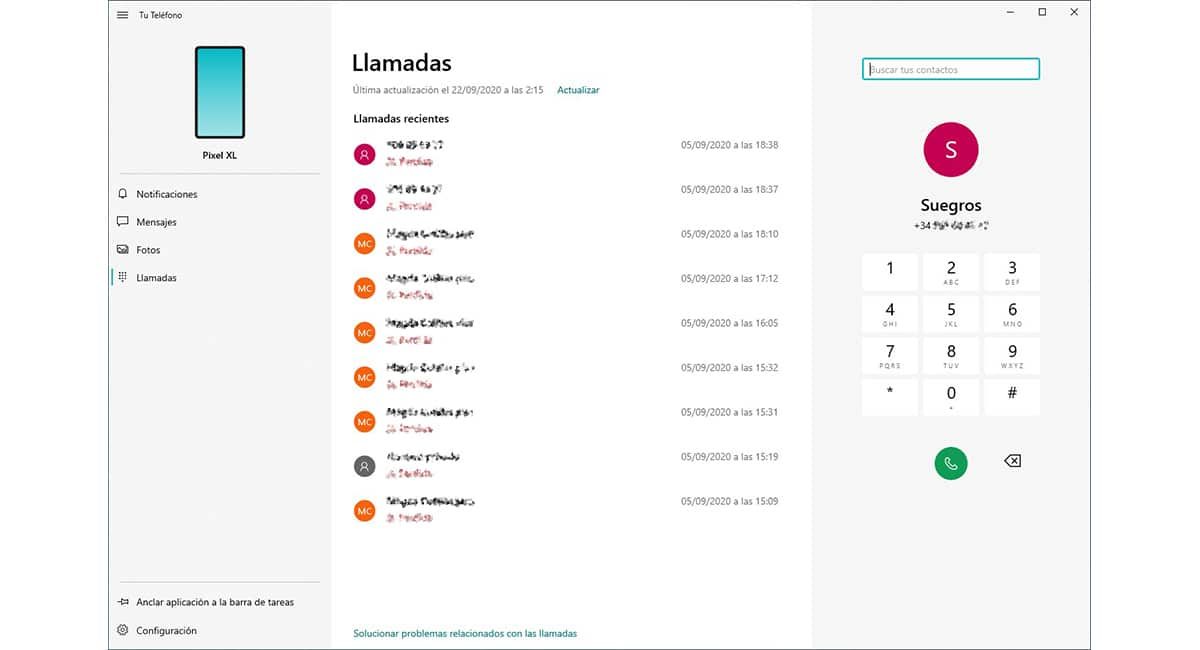

Again we have to talk about Microsoft to talk about a solution that enables us to make calls from our computer, even though in this circumstance it is not through the landline, but through an Android cell phone in combination with a PC managed by Windows.
I am talking about the application Your telephone from Microsoft, an application installed natively in Widows 10 and that deals with linking our PC with the cell phone to be able to make calls directly from our PC without having to interact with the device at any time.
In order to use the Your phone application in Windows 10 to make calls using an Android cell phone, we have to install the respective application, an application that we can also download absolutely free.
To use the Windows application, our team must be managed by Windows 10 with the May 2019 Update installed. If you regularly update your computer, this should not be an obstacle to get the most out of this fantastic application from Microsoft.
Communication between phone and cell phone it is done via bluetooth, por lo que no tenemos que usar el cable de nuestro teléfono celular. Esta aplicación no solo nos posibilita realizar y recibir llamadas, sino que además nos posibilita abrir en nuestro PC aplicaciones que tengamos instaladas en nuestro equipo como WhatsAppConcepto de Whatsapp¿Qué es Whatsapp?Whatsapp es una aplicación de mensajería instantánea disponible en smartphones que se caracteriza por la inmediatez de la comunicación y por la oportunidad de enviar mensajes de texto, de sonido, imágenes, vídeo e inclusive animaciones o documentos de cualquier tipo. Es una app instalada en la mayoría de teléfonos móviles que existen en el mercado.Se encuentra disponible tanto en iOS como en Android o inclusive en plus, InstagramConcepto de Instagram¿Qué es Instagram?Instagram es una de las redes sociales más reconocidas del momento. Comprada por Facebook hace unos años con motivo de su auge en popularidad, se caracteriza por girar en torno a la fotografía y, desde hace poco, al vídeo. Es una red pensada para los amantes de las fotos y para quienes gustan ilustrar lo que hacen con material gráfico.Desde su lanzamiento, ha estado en constante plus, TwitterTwitter es una red social en Internet que permite a los usuarios difundir información en tiempo real. La característica más notable de twitter solía ser su limitación de tweets a 140 caracteres, pero en septiembre de 2017 se incrementó a 280 caracteres. El único requerimiento para utilizar Twitter es la creación de una cuenta gratuita. Tweets Twitter contiene pequeñas piezas de información llamada tweets. Se puede escribir un máximo de plus o inclusive juegos, aplicaciones de email …
Make calls from a Mac

In the previous section I have explained how we can connect an Android smartphone to a PC to be able to make calls at the same time to be able to use any application of our cell phone on the PC managed by Windows 10.
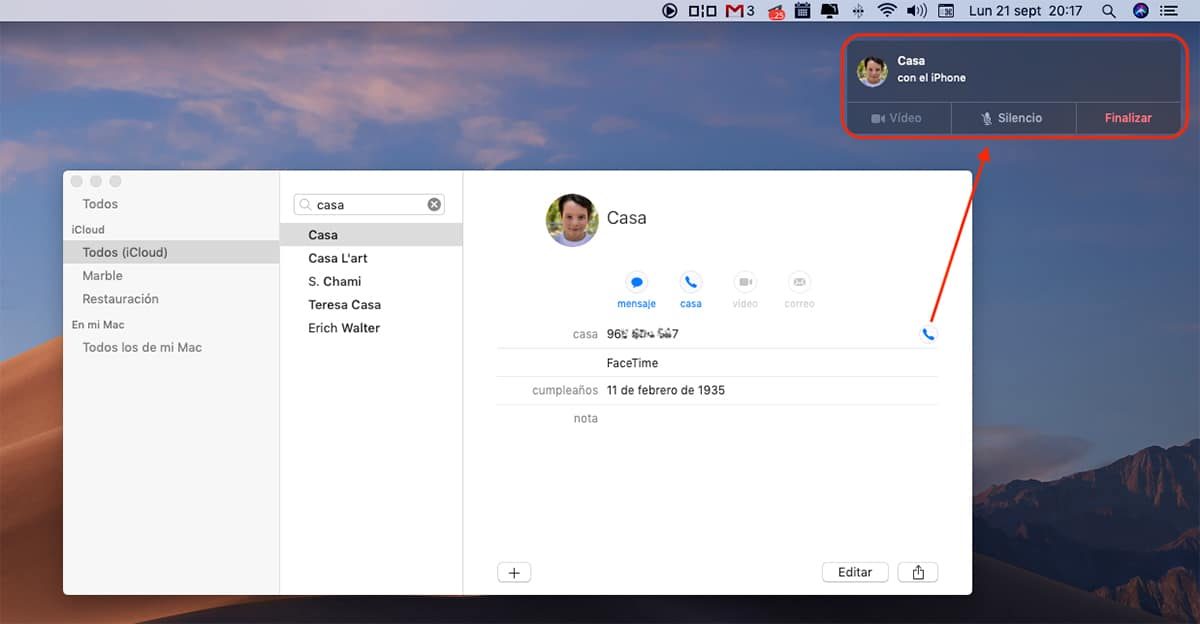
This application is only available for Windows and Android, so if you have an iPhone and a PC, you cannot use it. Regardless, if you have an iPhone and a Mac, can take advantage of native integration that the Apple ecosystem offers us to be able to call from our Mac using our PC.
The only requirement for this integration to work is that both devices, both Mac and iPhone, are associated with the same ID from Apple. If we meet this requirement, we just have to enter your Mac's phonebook, choose the phone number we want to call and click on the icon that represents a phone.
Automatically, the iPhone will begin to make the call, a call that we will be able to keep through our Mac, without having to interact directly with our iPhone at any time. But, not only does it allow us to make calls, but we can also answer calls comfortably from our Mac.









