How to upload Excel files to Power BI dashboard with practical example? To demonstrate uploading Excel files to the Power BI dashboard, we upload data from the Global Store Excel workbook to the Power BI dashboard.
How to upload Excel files to the Power BI dashboard
De forma predeterminada, cuando abre la UrlEl URL (Localizador Uniforme de Recursos), es una dirección definida que apunta a la posición de un archivo en un servidor y lo recupera. Las URL se introducen en un navegador web para ingresar a documentos en la web o se incrustan como hipervínculos dentro de un documento. Se puede usar un Permalink para que una URL esté disponible de forma permanente. Componentes de una URL • prefijo de protocolo plus del servicio Power BI, muestra la siguiente página. Si este no es el caso, haga clic en el Get information button in the lower left corner.
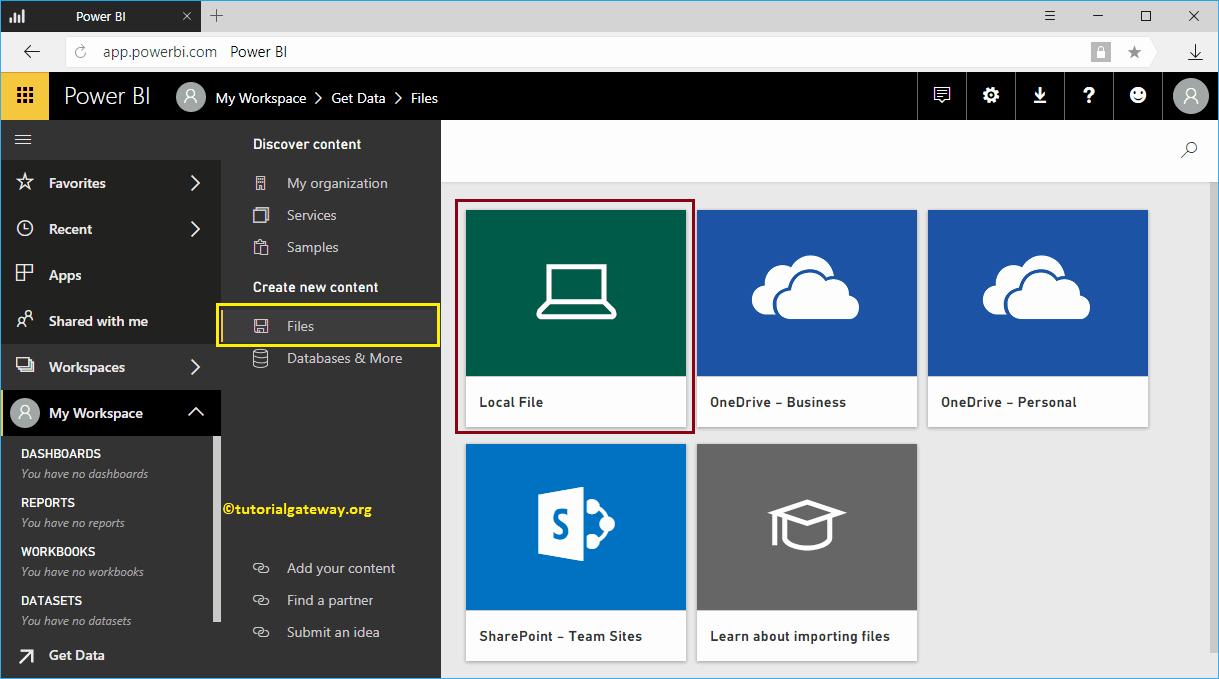
In this example, we want to upload an Excel file to the Power BI dashboard. So let me click on the Obtain within the file tile.
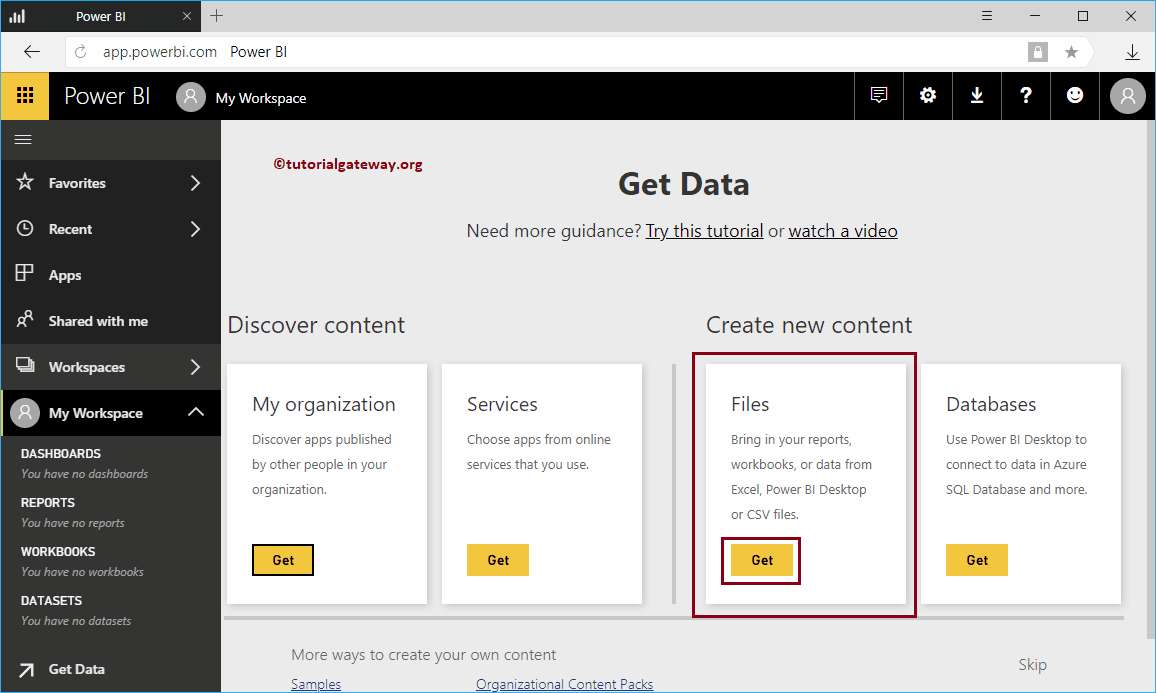 <noscriptNoScript es un complemento del navegador para Mozilla Firefox, que impide que se cargue en las páginas web contenido como JavaScript, Flash o iFrames. Su objetivo es incrementar la seguridad durante la navegación y quitar la promoción comercial más molesta al cargar sitios web. El términoNoScript tiene un significado distinto en la programación HTML. Cuando JavaScript está desactivado, la etiqueta <noscript> o </noscript> asegura que el usuario pueda ver el plus>
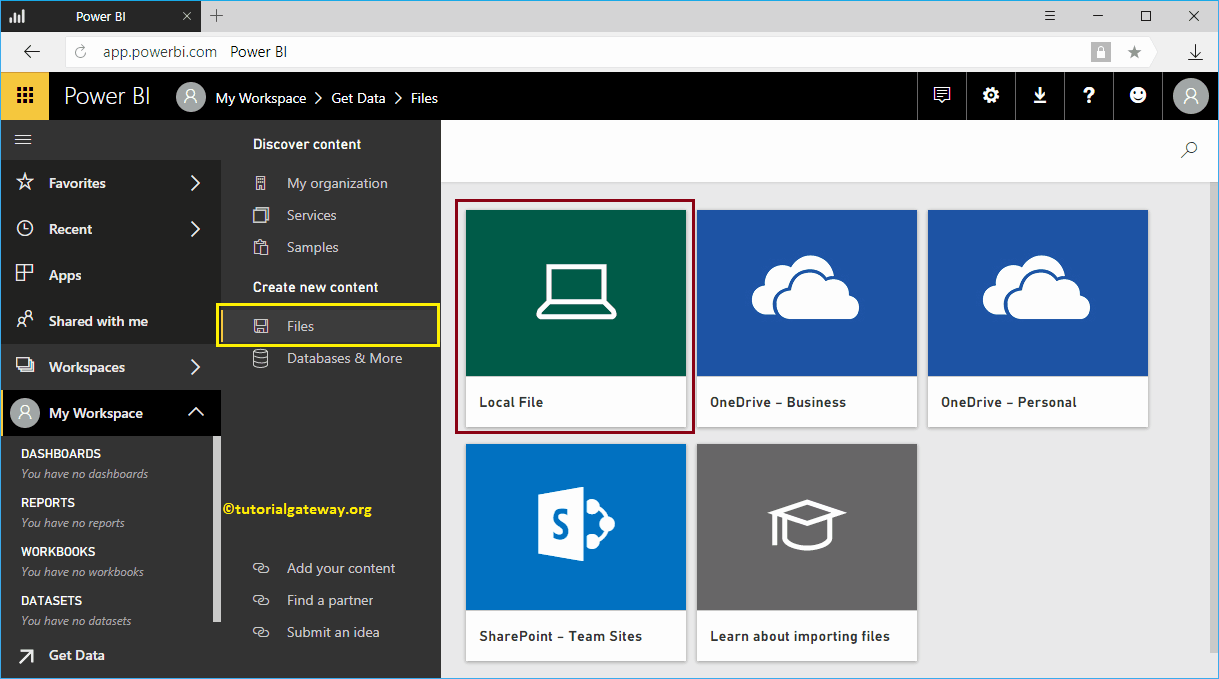
By clicking on the Obtain The button opens the following window. In this Power BI example, we want to upload an Excel file from the local hard drive. So, let me select the Local files option.
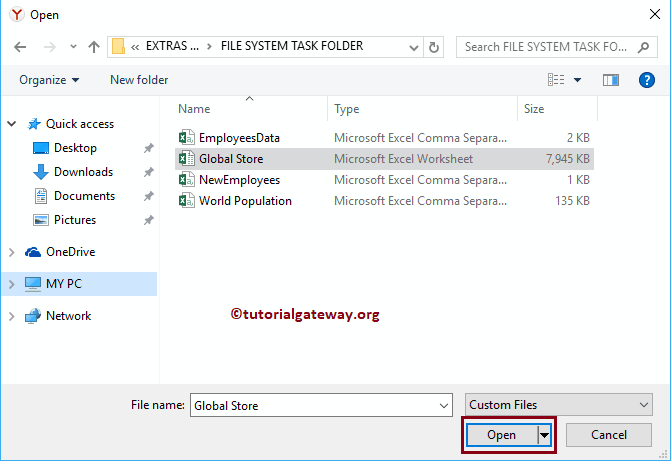
Once you click on the Local files , a new window opens to select the file from your file system. For now, we are selecting the Excel workbook from the global store, as shown below.
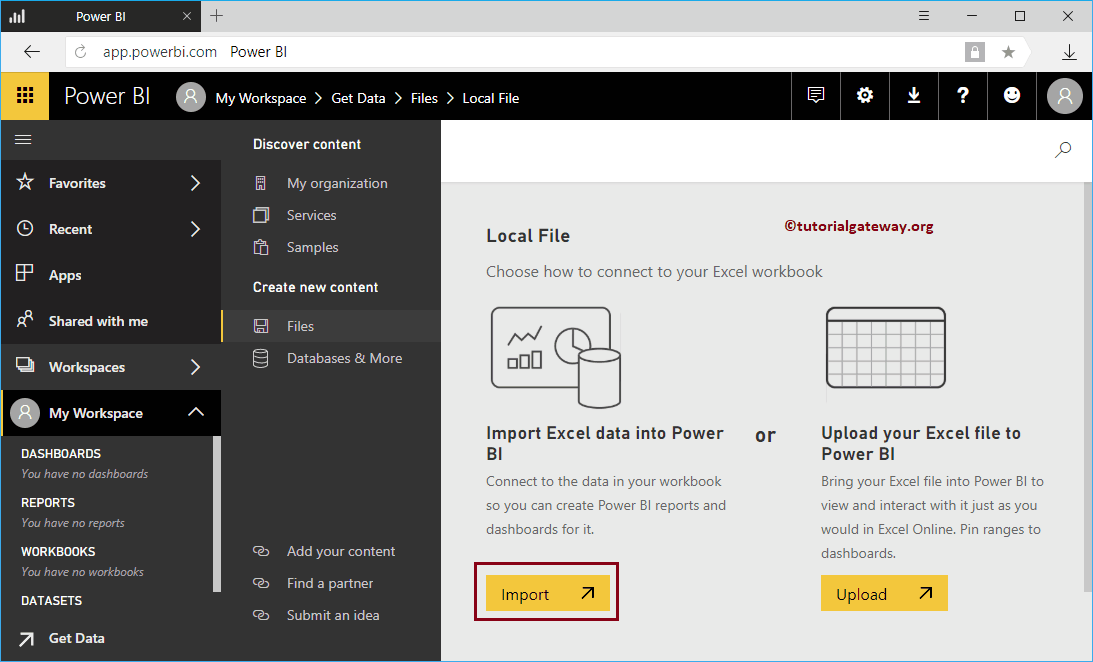
Then Power Bi offers you two options
- Import data from Excel to Power BI: It allows you to design reports using this imported Excel file.
- Upload your Excel files to Power BI: This is the same as Excel Online. You can view and interact with the data as you normally do in Excel. No reports. I suggest you check out the Upload Power BI workbooks article to understand this option.
Let me select the Import data from Excel to Power BI option
Wait until the import is complete
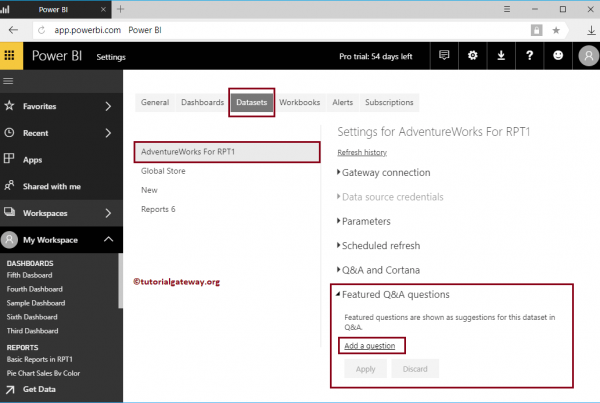
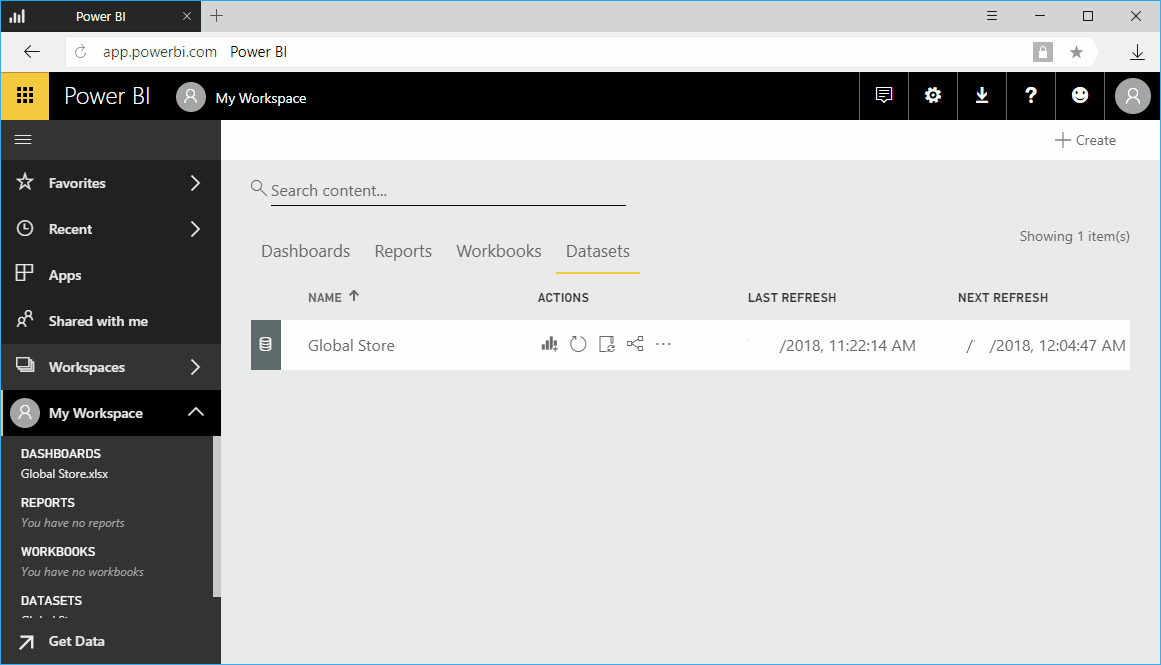
Let me navigate to My Workspace -> Datasets tab to see the available datasets. As you can see, it shows the dataset for the global store that we created earlier.
TIP: I suggest you refer to the article Create a report with Excel data to understand the use of Excel sheets