
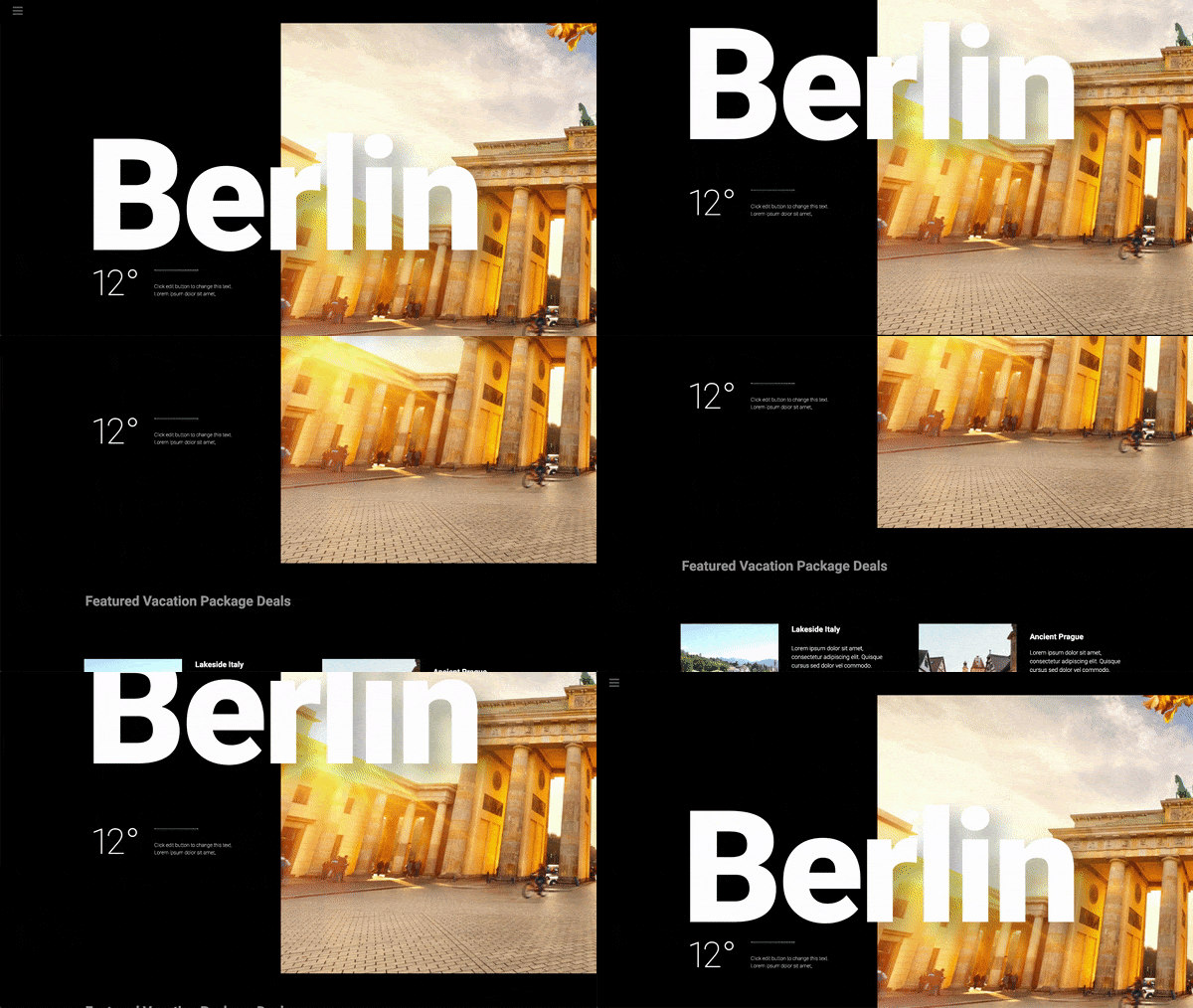
Motion effects are a powerful set of controls for adding beautiful transitions and animations to your design.
Until now, web designers who wanted to incorporate motion effects and animations needed to use external libraries or custom code.
Elementor Pro 2.5 offers an all-in-one solution for creating parallax, animations, and other motion effects, all seamlessly integrated into the Elementor editor.
Scroll Effects
Use Scroll Effects to create amazing animations and interactions as the user scrolls down the page. Here is a list of the scrolling effects:
Vertical displacement

This is the classic parallax effect you've been waiting for. Vertical scrolling causes the item to move at a different speed than the page while scrolling, in the direction and speed of your choice.
Horizontal displacement

Horizontal scrolling means that when the visitor scrolls up and down, the item moves to the right and left accordingly. An example of use: a section with clouds that moves to the right when the visitor scrolls down.
Transparency

Transparency allows you to make items gradually more transparent or more visible in correlation with the visitor's movement. An example is that a title appears and then dissolves according to the parchment.
There are 4 possible directions of effect:
Merge - Which means that the element starts out as transparent and gradually becomes visible.
Disappear - The element starts out as visible and gradually becomes transparent.
Fade into - The item starts out as visible, then fades, and then becomes visible again.
Fade off - The item starts out as transparent, then becomes visible, and then transparent again.
Blur

This setting is similar to Transparency, only instead of transparency, the element becomes blurred. A good example is background images, which get proper focus only when the user scrolls down.
To turn
Here, the element rotates as it travels. A good example is seen in the rotation of stars in the following image:

Note: The two settings, X and Y anchor points, determines the axis around which the element scales or rotates. If you set the top left orientation, the rotation will occur around the top left point of the item. If you set the center-center orientation, the rotation will rotate around its center, like a wheel. This setting is relevant only for the above 'To turn'effect as well as'Scale'effect listed below.
Scale

Scale allows you to grow and shrink items based on displacement. Example: a fund that grows as you move.
Note: Use the ' Apply effects on 'to determine if motion effects apply to mobile devices, desktop computers, or tablets. Mouse effects will only affect desktop devices.
Mouse effects
Mouse track
Create a sense of depth by making items move relative to the visitor's mouse movement.

3D tilt
Similar to how the Mouse Track moves the item in relation to the movement of the mouse, the 3D Tilt effect tilts the item according to the same movement of the cursor.

Compatibilidad del browserUn navegador (además: browser) es una herramienta informática que te permite ver documentos y datos y navegar por la red. Los navegadores pueden mostrar distintos tipos de recursos de información; principalmente documentos HTML, a pesar de todo, además son posibles otros tipos de archivos y contenido multimedia, como PDF, JPEG, MPEG, GIF o el lenguaje de meta marcado. A través el uso de complementos especiales y la configuración respectivo, los plus de efectos de movimiento
| Chrome | Firefox | Safari | Opera | Edge | internet browser |
| Supported | Supported | Supported | Supported | Supported * | Not supported |
* Slightly retarded behavior
Note: Elementor respects the "reduced motion property" preference that a user can set. If a user has configured any of the following options, motion effects will be disabled for that user:
- Mac: «Preferencias del sistema> AccessibilityAccesibilidad significa que algo puede ser usado, obtenido, acercado, ingresado o alcanzado. De ello pueden derivarse dos significados aplicables a Internet. En primer lugar, la provisión de acceso a Internet a las personas con discapacidad o a las personas mayores lo más libre viable de barreras y, en segundo lugar, la accesibilidad y la legibilidad de una web para un crawler. Accesibilidad en términos de ausencia de barreras Actualmente, Internet plus> Pantalla» y marca / desmarca la casilla «Reducir movimiento».
- iOS: «Settings> General> Accessibility» and activate / deactivate «Reduce movement»
- Windows 10: "Settings> Accessibility> Display> Simplify and customize Windows"
Nota: En Safari, si no ve los efectos del mouse o si experimenta el problema de la desaparición de elementos en Safari, esto se debe a que WordPressWordPress es el software de blogs líder en el mundo, y es concretamente fácil de utilizar y adaptable. Con WordPress, es factible crear con éxito sitios web con la ayuda de funciones ya predefinidas, sin mucho esfuerzo, y para proporcionar contenido como texto, imagen y vídeo. No se requiere conocimiento de HTML. WordPress además facilita la gestión y el mantenimiento de contenidos extensos. Al mismo tiempo de su fácil manejo, plus utiliza una versión antigua de jQueryConcepto de jQuery¿Qué es el jQuery?JQuery es una librería perteneciente al lenguaje de programación JavaScript, uno de los más usados en materia de desarrollo web, de código abierto y con la capacidad de mejorar la interactividad de una página web sin tener nociones de programación o un profundo conocimiento de este lenguaje. Es algo que facilita enormemente la tarea de desarrollo y diseño de páginas web.Muchos de los plugins que plus. En algunos casos, ver los efectos de la pista del mouse a través de Safari puede causar un error de jQuery que hará que desaparezcan elementos, como flechas del carrusel que faltan, por ejemplo. Si esto sucede, también puede ver un error que hace referencia al «tamaño máximo de pila de llamadas excedido». Para resolver el problema, elimine las animaciones de entrada de los widgetsConcepto de Widgets¿Qué son los Widgets?Los Widgets son una serie de pequeños programas que se usan para añadir funciones, simplificar o automatizar aquellas acciones que se lleven a cabo a menudo dentro de una web. Son herramientas adicionales, añadidos que se elaboran con la finalidad de hacer más fácil las labores de mantenimiento o inclusive de generación de contenidos dentro de cualquier sitio de Internet y que no han hecho plus con efectos de movimiento y / o elimine los efectos del mouse de las áreas que tienen activados simultáneamente los efectos de desplazamiento y de mouse.








