

Telegram is one of the most popular instant messaging applications, due to their advantages and safety conditions. For users, it is very important to ensure the protection of the information they share, and this platform includes quite effective policies in this area.
Add to that, incorporates a series of functionalities that satisfy the demands of all users. It should be noted that it does not matter from which device you enter, since you can enter from any of them.
To this end, here we will teach you step by step How to install Telegram on Windows PC and macOS for free, easy and fast? At the same time, we will indicate the main differences obtained when using the mobile device application or the desktop version.
Learn step by step how to install Telegram on your MacOS or Windows 10 PC
<noscriptNoScript es un complemento del navegador para Mozilla Firefox, que impide que se cargue en las páginas web contenido como JavaScript, Flash o iFrames. Su objetivo es incrementar la seguridad durante la navegación y quitar la promoción comercial más molesta al cargar sitios web. El términoNoScript tiene un significado distinto en la programación HTML. Cuando JavaScript está desactivado, la etiqueta <noscript> o </noscript> asegura que el usuario pueda ver el plus>
As we already mentioned, Telegram It can be used in its mobile device version or from its PC version. It can be easily downloaded on your macOS and Windows PC.
Follow the process below to do this:
On windows
- Go to the next link:
httpsHTTPS (protocolo de Transferencia de Hiper-Texto) es un protocolo que permite determinar una conexión segura entre el servidor y el cliente, que no puede ser interceptada por personas no autorizadas. En resumidas cuentas, es la versión segura de el http (Hyper Text Transfer Protocol) Cómo funciona Una conexión HTTP estándar en Internet puede ser fácilmente secuestrada por partes no autorizadas. El propósito de una conexión HTTPS es evitar esto: encriptar plus://desktop.telegram.org/. - Go ahead Download for Windows.
- Go where you have the application (generally stored in the Downloads folder). Continue with the installation.
- Now you can enter the desktop version Telegram for Windows.
- Write your phone number. You will receive a code on your mobile device, which you must place on your PC.
- Confirm.
On macOS
- Entra en la App StoreConcepto de App Store¿Qué es la App Store?La App Store es la tienda de apps digitales de Apple. Disponible para usuarios de iOS y de Mac OS, consiste en una parcela de Internet donde pueden ingresar para explorar un enorme catálogo de software que solo puede funcionar en los dispositivos de la marca o con su sistema operativo.Las apps disponibles en esta tienda digital pueden ser tanto gratuitas como de plus from your Mac. You can also do this by following the link:
https://desktop.telegram.org/. - Download the app pressing the button Download for macOS in the web portal, or in To get of the AppConcepto de APP¿Qué es una APP?Una App es todo aquel programa que se ejecuta desde una interfaz teléfono celular, es decir, desde un móvil o una tablet. Consiste en la herramienta principal para cualquier usuario que tenga un teléfono teléfono celular, de todo el software que se mueve en tiendas digitales como Google Play Store o la App Store y que tanto se adentra en cualquier terminal moderno.Es un concepto plus Store.
- A window will open where you must click on Install on pc.
- Now you can enter the Telegram desktop From your computer.
- Enter phone number what do you have for your account Telegram. You will receive a code.
- Write the code sent and ready.
What are the differences between using the Telegram Messenger mobile device application and the desktop?
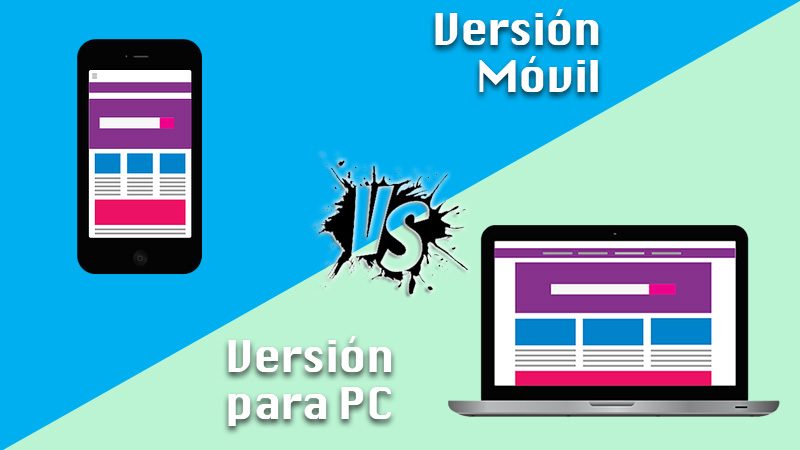
Most of today's applications are cross-platform. This means that they can be downloaded and used on different types of devices. Telegram is no exception. You can access it from your PC, thanks to its desktop version. In spite of everything, it is common for you to doubt What are the differences compared to the mobile device application?
Antes de profundizar en el tema, conviene explicar que muchos usuarios prefieren apostar por las versiones de escritorio por conveniencia, accessibilityAccesibilidad significa que algo puede ser usado, obtenido, acercado, ingresado o alcanzado. De ello pueden derivarse dos significados aplicables a Internet. En primer lugar, la provisión de acceso a Internet a las personas con discapacidad o a las personas mayores lo más libre viable de barreras y, en segundo lugar, la accesibilidad y la legibilidad de una web para un crawler. Accesibilidad en términos de ausencia de barreras Actualmente, Internet plus y otros aspectos. Con respecto a las características, Telegram offers almost the same options in both cases. This occurs because the alternatives are unified. Only now will you have an interface suitable for the office environment. Later, on the left side, you can see a column with your conversations.
When you enter one of them, the chat will be located in the center of the screen, as you are used to. But there is a detail that can be lost, since it is not available in its desktop version. Is about multi-account support and private chat feature. Despite these shortcomings, everything else is available.
Thus, you can create and manage groups, save GIFs and stickers, archive conversations, take advantage of chat search, etc. At the same time of that, you can configure your profile, put the application in dark mode and configure the appearance of your chats. Regarding the more advanced alternatives, there are two integrations you can do with Windows. On the one hand, you can configure an option to open the application at system startup or include Telegram from the Send To menu with the right mouse button.
Another of the most representative advantages that you can use Telegram on different devices at the same time, but independently, is that can be used as a personal cloud.The function of sending messages to yourself makes a lot of sense since you will have the option to share files, photos, documents, etc. from your mobile device to open them from your PC or vice versa. Finally, we share it below what you can and cannot do with the desktop version of Telegram.
So that you can better distinguish the most obvious differences:
What can you do
- save a new account.
- Log in in an account already created.
- Send files of all kinds: photos, GIFs, stickers, videos, etc.
- Send messages formatted.
- Share, distribute voice notes.
- posts quiet.
- Send music or any file on the PC.
- Share, distribute surveys.
- Program posts.
- send to Contacts.
- Decide reminders.
- write to you to yourself.
- Calls voice.
- Consult, create and participate in channels and groups.
- Edit Contacts.
- send to contentsEl contenido puede ser muy difícil de definir con precisión. Es una definición que se refiere a las declaraciones contenidas en un documento o publicación de cualquier tipo y puede incluir las tecnologías de la información y la comunicación. Esto cubre todos los tipos de medios como imágenes y texto. A parte de esto, en el campo de la optimización de motores de búsqueda, los términos duplicar contenido, contenido único, plus del bot.
- Use folders cats.
- Personalize The interface.
- Determine options Advanced.
- Resend reply and delete messages.
What you can't do
- To send some photos with a camera.
- Use two accounts at the same time.
- Send messages mysteries.
- Share, distribute Your location









