
 es un protocolo que permite determinar una conexión segura entre el servidor y el cliente, que no puede ser interceptada por personas no autorizadas. En resumidas cuentas, es la versión segura de el http (Hyper Text Transfer Protocol) Cómo funciona Una conexión HTTP estándar en Internet puede ser fácilmente secuestrada por partes no autorizadas. El propósito de una conexión HTTPS es evitar esto: encriptar<span class="glossaryai-more-link"> <a href="https://rmarketingdigital.com/en/wiki/https/" data-wpel-link="internal">más</a></span></span></span></span></span>://rmarketingdigital.com/wp-content/uploads/2021/04/como-editar-regedit-windows-10-3572046.jpg)
<noscriptNoScript es un complemento del navegador para Mozilla Firefox, que impide que se cargue en las páginas web contenido como JavaScript, Flash o iFrames. Su objetivo es incrementar la seguridad durante la navegación y quitar la promoción comercial más molesta al cargar sitios web. El términoNoScript tiene un significado distinto en la programación HTML. Cuando JavaScript está desactivado, la etiqueta <noscript> o </noscript> asegura que el usuario pueda ver el plus>

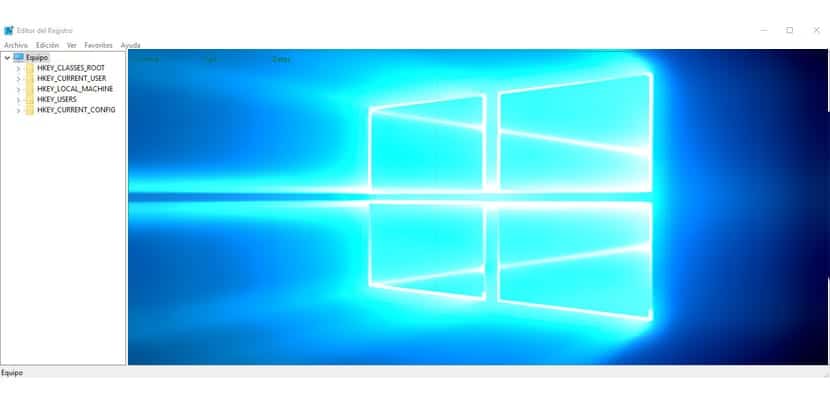
The registry editor is of the last stays which one to enter in Windows because we are almost touching the heart of the operating system, and any misstep could lead to system instability or inopportune shutdowns. Something that nobody likes to go through, that is why we always suggest that you follow the steps well before playing regedit.
Regedit or the registry editor is one of the secret functions of the system and that enables us to enter many other functions. But it is as I said, it is very important that you follow the instructions well when you are ready to modify something about this very important tool for Windows. Next, we will show you three methods to start regedit in Windows 10.
What is the Windows 10 registry for?
On the Internet we can find daily a large number of applications that are offered to boost the performance of our PC, download the RAM or clean the Windows' register. On repeated occasions it leaves us with the intrigue of knowing what this album is, that is why today we are going to clarify it in a simple and detailed way.
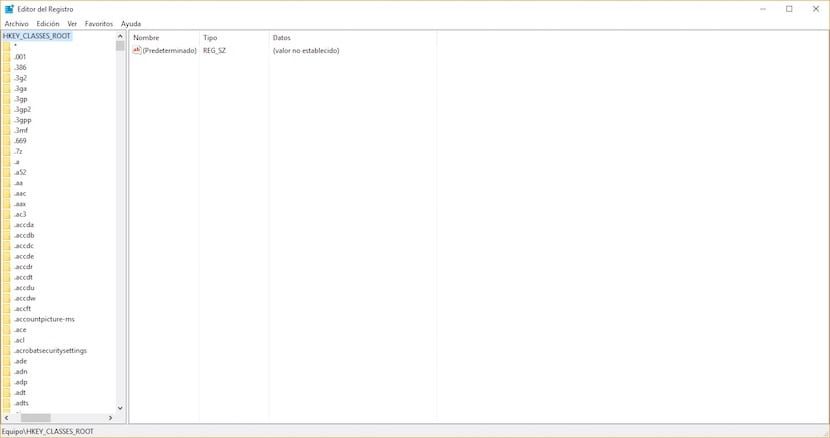
The Windows registry, whatever its version, is a database that is stored on the hard disk, and in which the configuration of the program and the operating system itself are saved. Además almacena los controladores y otro hardwareEn informática, el término hardware se refiere a cualquier componente de un sistema informático que sea un objeto físico real, al contrario que el software que existe en forma digital. Esto incluye el disco duro y las unidades incorporadas, es decir, todos los componentes que son "duros", de ahí su nombre. Desarrollo El desarrollo del hardware informático comienza con la creación de los primeros ordenadores y tiene su verdadero origen plus de nuestra computadora. Antes de que existiera el registro de Windows como tal, el propio sistema operativo guardaba sus respectivas configuraciones en archivos .ini.
With the advent of the Windows registry, Microsoft was looking improve intercommunication between different parts of the hardware. It also allowed each computer user to have their own configuration for each program and that this was also more complicated. It also added a tree hierarchy that allowed us and enables us today to get where we want in a much easier way through the tab.
To enter the Windows registry, just click on Start and type regedit, even though we suggest that you do not even access it unless you are very clear about what you are going to do since anything you touch can be a big problem.
Abra regedit en Windows 10 desde el Search EngineUn motor de búsqueda es un programa de PC utilizado para buscar datos. Los resultados de la búsqueda se muestran como enlaces en las páginas de resultados de los motores de búsqueda (SERPs), que se pueden usar para conseguir la información deseada. Con la finalidad de establecer la relevancia de una consulta para los datos existentes en el índice, los motores de búsqueda de hoy, trabajan con algoritmos sofisticados. Cómo plus
- First, click on "Search Windows" found in the toolbar on the left, next to the start button
- In it we write regedit
- A result of those searches appears that tells us "Regedit" and under the name «Execute command»
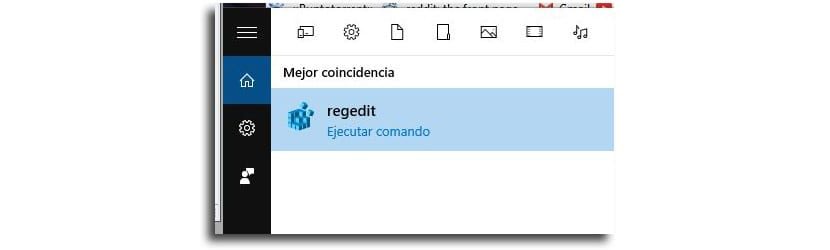
- Press and we will have regedit open
Certainly when we open regedit we are asked if we want this application make changes to the computer what we accept
Enter registry editor in Windows 10 from run
- From the shortcut with this shortcut: windows + X, we execute it and a menu of alternatives will appear
- From all these options we select and click on the Run menu in Windows 10


- We wrote regedit and hit enter
- We will have the Windows registry editor open
Access Windows 10 regedit by CMD
- We go directly to using the key shortcut: Windows + X
- From all the alternatives we select and click on "Symbol of the system"


- We write regedit and we will open the registry editor from Windows after giving it permission to touch system files
Three very fast methods to access the Windows 10 regedit and it will be a matter of getting used to some of them. Do you know more methods to open the registry editor?
Utilities to modify the registry
Modifying the Windows registry isn't something for everyone, and as we have already said, it is not something that should be done lightly and without sufficient knowledge. Perhaps this is one of the reasons why we do not find too many programs to modify, however there is one that stands out above the others and that we are going to show you below.
RegCool

The alternatives it offers us RegCool They are the most varied and almost as many as the Windows registry itself offers us. Among the most interesting, at least for us, is the opportunity to undo or redo the last changes, so that if, as an example, we touch something that does not work quite well we can go back, its powerful search engine or the opportunity to do backup copies of both the entire registry and a small part of it.
The opportunities of this program, absolutely free and that can be downloaded from the link that you will find a little below, they do not end here and as we have already taught you they are practically infinite.









