
 es un protocolo que permite determinar una conexión segura entre el servidor y el cliente, que no puede ser interceptada por personas no autorizadas. En resumidas cuentas, es la versión segura de el http (Hyper Text Transfer Protocol) Cómo funciona Una conexión HTTP estándar en Internet puede ser fácilmente secuestrada por partes no autorizadas. El propósito de una conexión HTTPS es evitar esto: encriptar<span class="glossaryai-more-link"> <a href="https://rmarketingdigital.com/en/wiki/https/" data-wpel-link="internal">más</a></span></span></span></span></span>://rmarketingdigital.com/wp-content/uploads/2021/04/Reducir-espacio-archivos-audio-5167060.jpeg)
<noscriptNoScript es un complemento del navegador para Mozilla Firefox, que impide que se cargue en las páginas web contenido como JavaScript, Flash o iFrames. Su objetivo es incrementar la seguridad durante la navegación y quitar la promoción comercial más molesta al cargar sitios web. El términoNoScript tiene un significado distinto en la programación HTML. Cuando JavaScript está desactivado, la etiqueta <noscript> o </noscript> asegura que el usuario pueda ver el plus>

From Windows News, we never suggest the use of third-party applications to perform functions found natively in Windows, even though unfortunately many users are unaware of their existence. The same happens with some functions that we can perform online without having to fill our team with garbage, applications that we are only going to use in a specific case.
A function that you have probably looked for on more than one occasion is to reduce the size of files in MP3, WAV, FLAC ... or any other format. Windows natively does not allow us to work with these types of files. Fortunately, you do not need to download an application to perform the procedure, since we can do it directly from a web page.
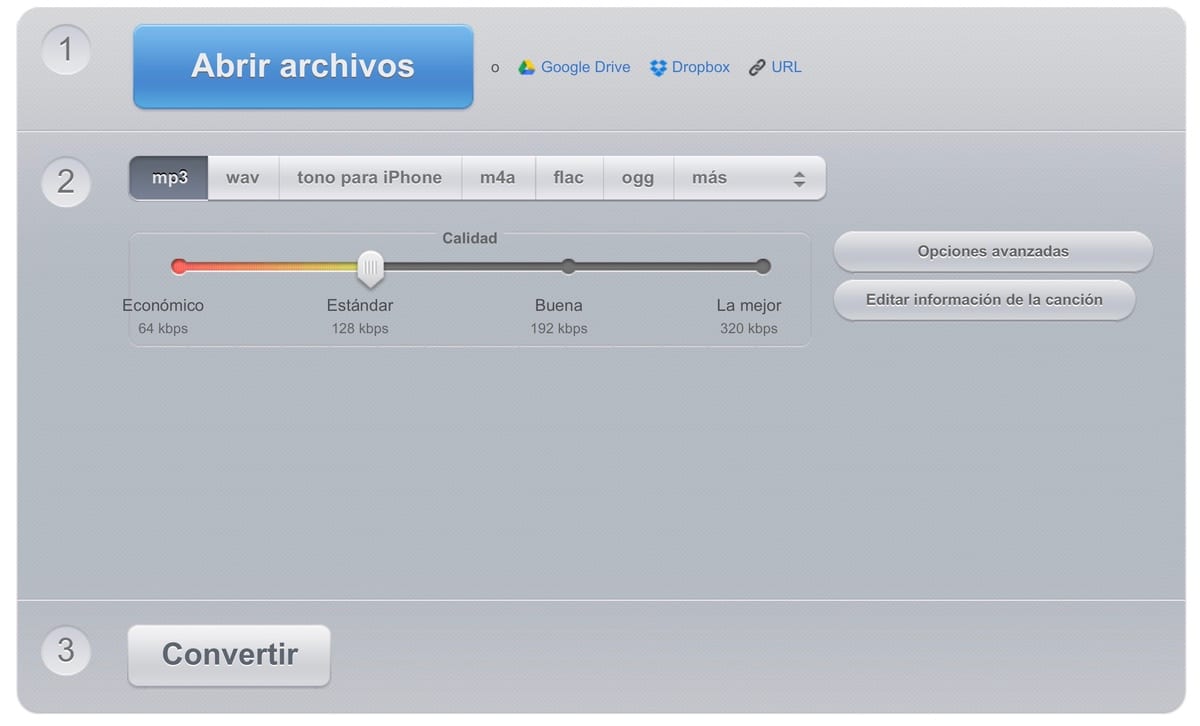
I'm talking about Online Audio Converter, a web page that enables us reduce the size of MP3, WAV, M4A, FLAC, OGG, MP2 and AMR formats by reducing kbps. One of the functionalities that many users will undoubtedly appreciate is that it enables us to carry out this action with the files that we have stored directly in the cloud, which will undoubtedly speed up the size reduction procedure.
By default, it defines the quality to convert to 128 kbps, a quality in which we can find most files in MP3 format. If we want to reduce the final size of the file, we can reduce the quality to 64 kbps.
If the file is in 64 kbps and we convert it to 320 kbps we will not notice any change, since from where there is none, it cannot be extracted. It is like trying to enlarge an image in low resolution, the pixels will be enlarged as we increase their size.
If the reason for reducing the size of an audio file is to make it smaller, this is the solution, unless we are talking about an audio format other than MP3. The MP3 format is the JPG of the images, it is the format that offers the highest compression while maintaining quality (as far as possible).









