
When you use a theme for your website, you get your theme Single page templates. With Elementor can control the layout and layout of the Single page templates.
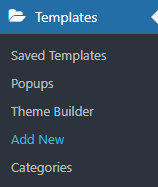
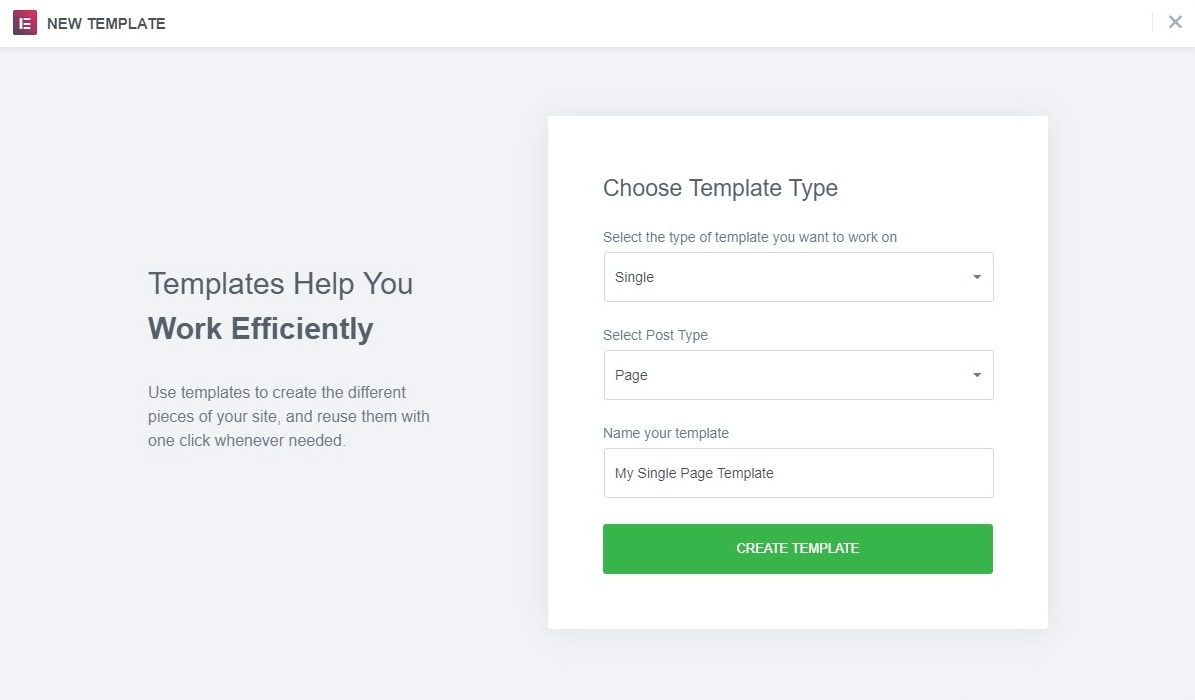
- Go Templates> Theme Builder> Unique > Add new, Select Single from the drop-down menu, and below Select publication type, choose Page and click Create template.
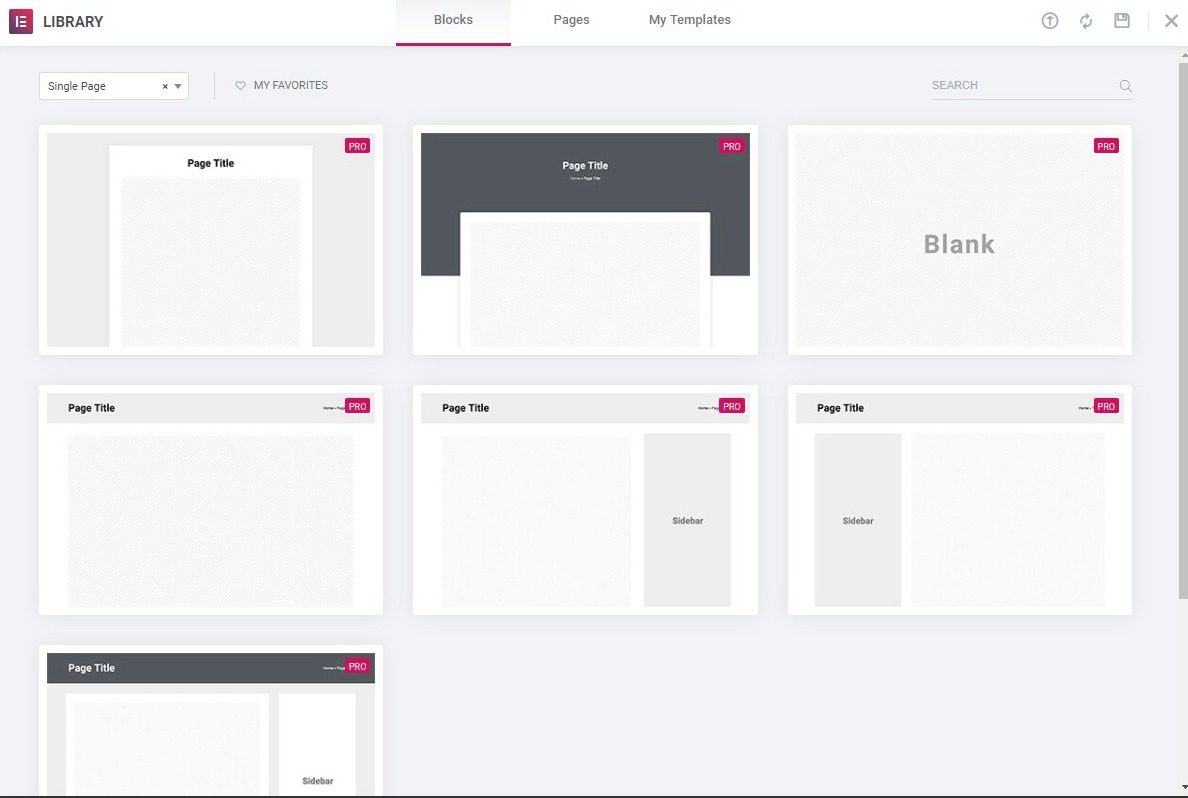
- Choose a page block and Insert. Alternatively, you can design your own.
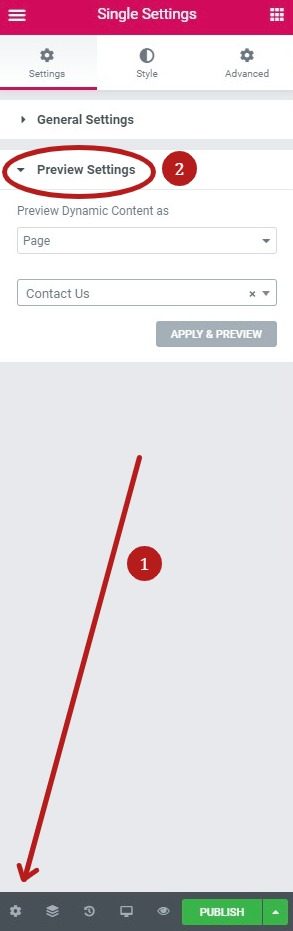
- Haga clic en el icono de engranaje en la esquina inferior izquierda del panel de widgetsConcepto de Widgets¿Qué son los Widgets?Los Widgets son una serie de pequeños programas que se usan para añadir funciones, simplificar o automatizar aquellas acciones que se lleven a cabo a menudo dentro de una web. Son herramientas adicionales, añadidos que se elaboran con la finalidad de hacer más fácil las labores de mantenimiento o inclusive de generación de contenidos dentro de cualquier sitio de Internet y que no han hecho plus para seleccionar una página específica como ejemplo de vista previa durante la edición.
- Edit the items you want. Once you've finished designing, click Publish.
- Choose a Condition. Click for conditions.
Templates> Add New
 es un protocolo que permite determinar una conexión segura entre el servidor y el cliente, que no puede ser interceptada por personas no autorizadas. En resumidas cuentas, es la versión segura de el http (Hyper Text Transfer Protocol) Cómo funciona Una conexión HTTP estándar en Internet puede ser fácilmente secuestrada por partes no autorizadas. El propósito de una conexión HTTPS es evitar esto: encriptar<span class="glossaryai-more-link"> <a href="https://rmarketingdigital.com/en/wiki/https/" data-wpel-link="internal">más</a></span></span></span></span></span>://rmarketingdigital.com/wp-content/uploads/2020/09/file-ETDMIKSvq9-9317715.png)
Choose the type of template (single / page)
Select from template library and insert
Choose the page to preview while editing
Edit the necessary items, then publish and configure the display conditions
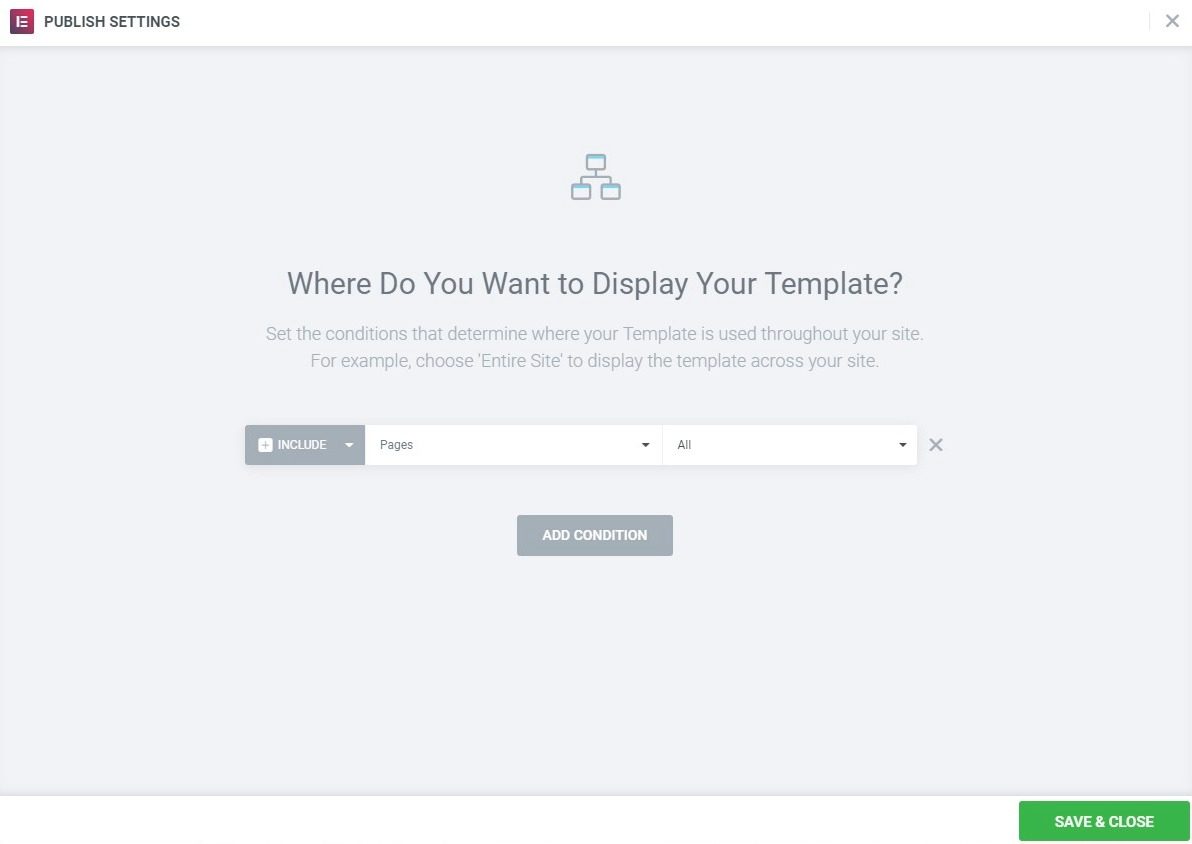
Only pages that use the default template will have the single page template applied, even if they meet the criteria for the display conditions. Pages using Canvas or full-width template (or any template other than the default) will not have the single post template applied.








