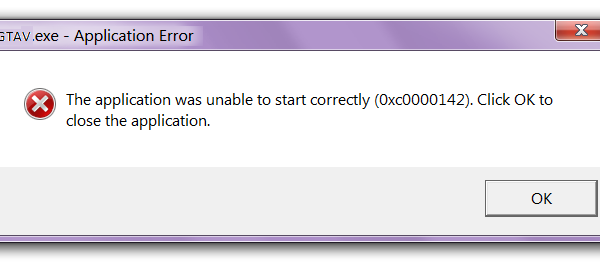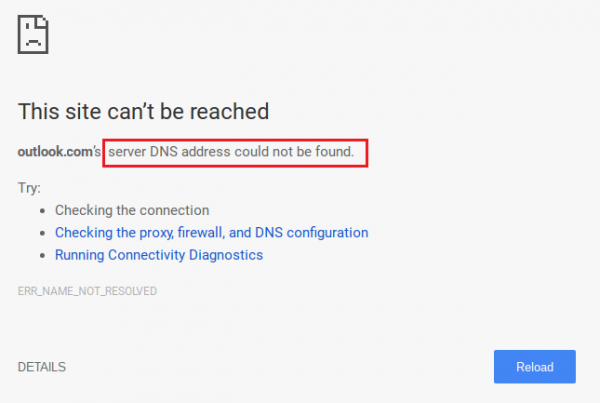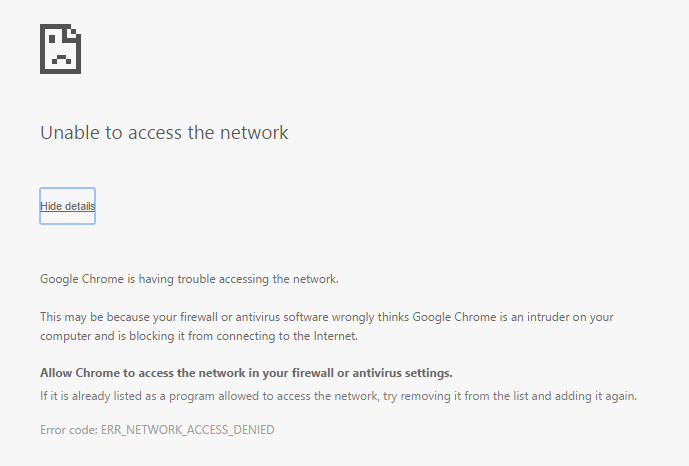
Arreglar Incapaz de acceder a la red en Chrome (ERR_NETWORK_CHANGED):Si te enfrentas a este problema en Google Crome, es viable que haya algún problema con la configuración de la red, como DNSConcepto de DNS¿Qué son las DNS (Domain Name Server)?Al hablar de DNS, nos referimos a las iniciales Domain Name System (Sistema de Nombres de Dominio). Consiste en una tecnología que recurre a las bases de datos para detectar la dirección IP a la que pertenece cualquier dominio que un usuario quiera desear. Es decir, toma la URL y la “traduce” para ofrecer como resultado su dirección exacta, su IP.Para quien plus (Domain Name Server), proxy o cortafuegos. Aún cuando no es viable establecer una causa específica para este error, hemos enumerado algunos pasos de solución de problemas que definitivamente te ayudarán a arreglar este error.
Unable to access network ERR_NETWORK_CHANGED
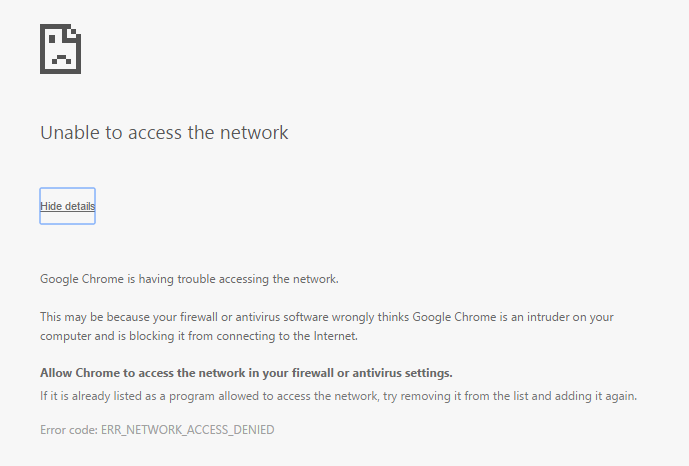
There is a common cause that seems to create this problem which is the use of VPN (Virtual Private Network), so if you are familiar with VPN or use it to mask your traffic, be sure to uninstall it and check again if you can access the Internet.
It is a prior requirement:
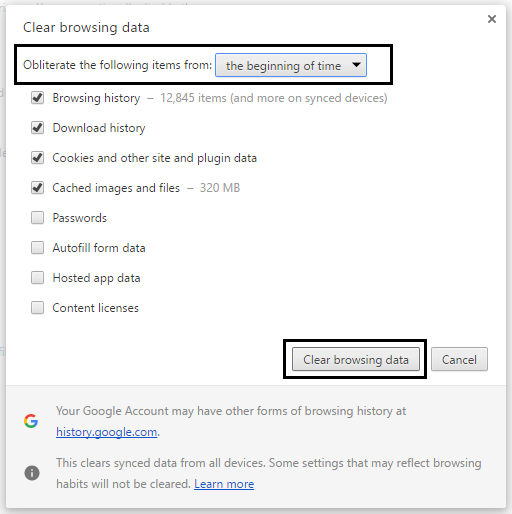
- Make sure you have cleared the caches and cookies on your computer.
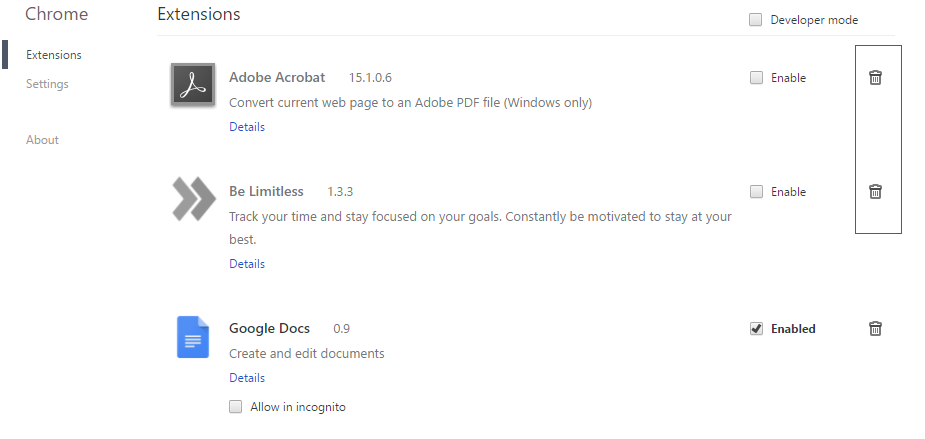
- Delete unnecessary chrome extensions that could be causing this problem.
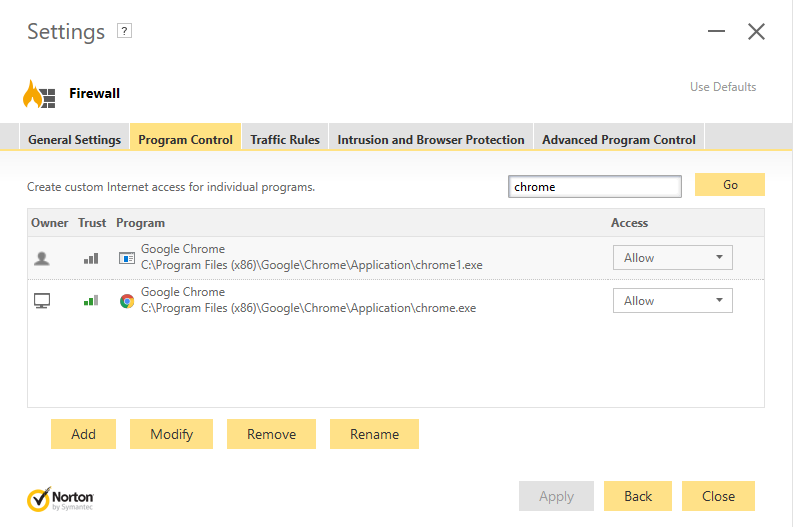
- Se permite la conexión adecuada al Chrome a través del FirewallConcepto de Firewall¿Qué es el Firewall?El Firewall es un hardware o software que protege a un equipo de accesos no autorizados desde una red de terceros. Además se le conoce como cortafuegos y actúa como una pared entre el Internet y el PC. Es el que monitorea el tráfico de una red y limita la entrada o salida de datos. Funciona bajo ciertas reglas que permiten autorizar una conexión, bloquear plus Windows.
- Make sure you have a proper internet connection.
Fix Unable to access network in Chrome (ERR_NETWORK_CHANGED)
Make sure to create a restore point in case something goes wrong.
Method 1: Restart your modem
Sometimes simply restarting the modem can fix this problem, as the network may have experienced some technical problems that can only be overcome by restarting the modem. If you still can't fix this problem, follow the next method.
Method 2: Use Google DNS
1.Open Control Panel and click Network and Internet.
2.Then click Network and Sharing Center and then Change adapter settings.
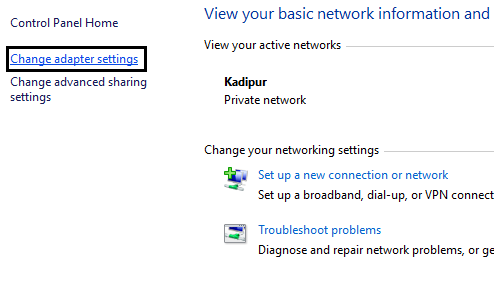
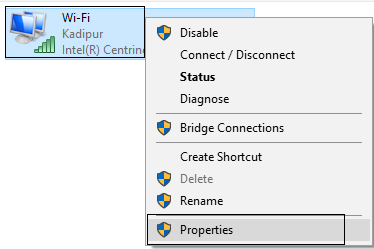
3.Select your Wi-Fi and double click on it and select Properties.
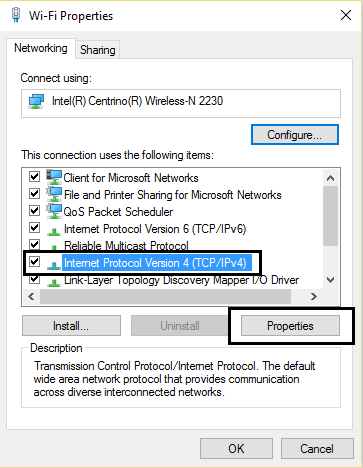
4.Now select Internet Protocol Version 4 (TCP / IPv4) and click Properties.
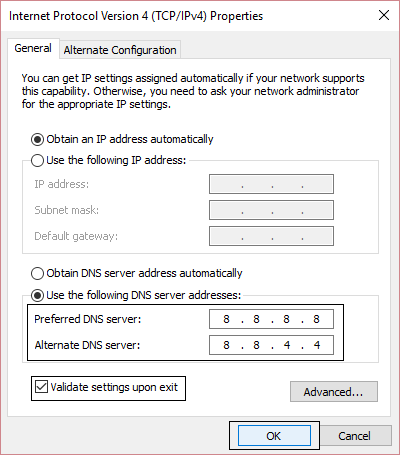
5. Check the box "Use the following DNS server addresses" and enter the following:
ServerLos servidores son ordenadores centrales y potentes dentro del campo de la tecnología de la información que procesan y proporcionan software y archivos en una red. Desde el punto de vista de un cliente, varios ordenadores en una red pueden ponerse en contacto con el servidor central para conseguir la información solicitada. En la arquitectura cliente-servidor, el servidor puede ser un software que proporciona un servicio y se ejecuta en plus DNS preferido: 8.8.8.8Servidor DNS alternativo: 8.8.4.4
6.Close everything and you will be able to solve "Cannot access the network in Chrome" (ERR_NETWORK_CHANGED).
Method 3: Uncheck the proxy option
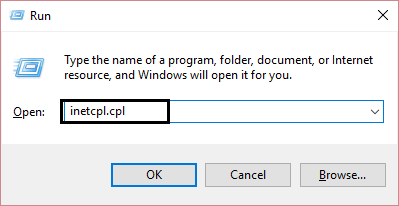
1.Press Windows key + R, then type "inetcpl.cpl" and press enter to open Internet Properties.
2. Next, go to the Connections tab and select LAN Settings.
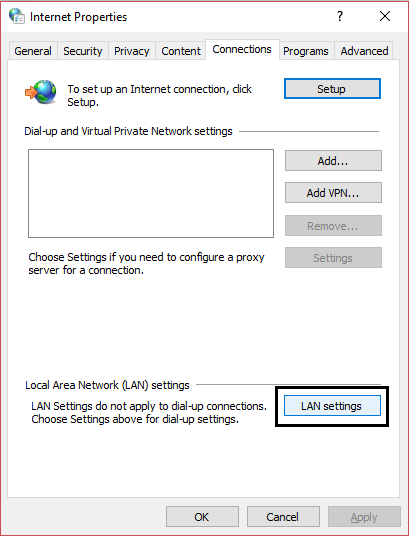
3.Desmarque Utilizar un proxy serverUn servidor proxy es un PC que puede conectarse como interfaz entre dos ordenadores o redes. Asume una función de intermediario, recibiendo peticiones y transmitiéndolas con su propia dirección IP a otra red. Los servidores proxy se pueden usar en Internet para esconder la dirección IP. Definición El significado básico de la palabra ‘’’proxy’’’ es “la agencia, función u oficio de alguien que actúa como sustituto de otro” (diccionario de plus para su LAN y asegúrese de que esté marcada la opción «Detectar de forma automática la configuración».
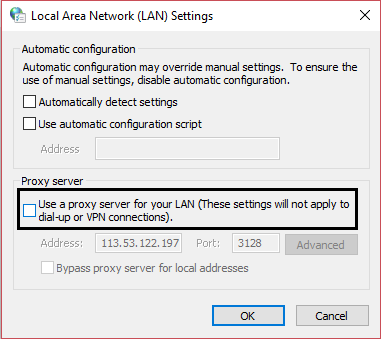
4.Click Ok and then Apply and restart your computer.
Method 4: Clear DNS and restart TCP / IP
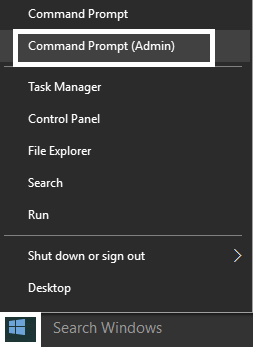
1.Press Windows key + X and then select Command Prompt (Admin).
2.In the cmd type the following and press enter after each one:
- ipconfig / flushdns
- nbtstat -r
- netsh int ip reset
- netsh winsock reset
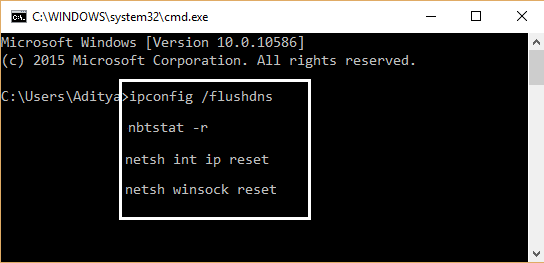
3.Restart your computer to apply the changes. DNS cleanup seems to fix the inability to access the network in Chrome (ERR_NETWORK_CHANGED).
Method 5: Uninstall the network adapter
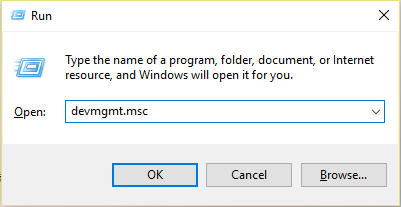
1.Press Windows key + R, then type "devmgmt.msc" and press Enter to open Device Manager.
2. Expand network adapters and find the name of your network adapter.
3. Make sure to write down the name of the adapter in case something goes wrong.
4.Right click on your network adapter and uninstall it.
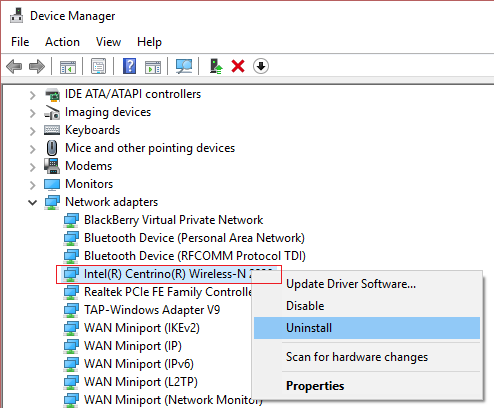
5.If it asks for confirmation, select Yes.
6.Restart your computer and try to reconnect to your network.
7.Si no puedes conectarte a tu red, significa que el softwareConcepto de Software¿Qué es el Software y cuál es su función?Un Software es la parte lógica, o más bien el soporte lógico, de cualquier sistema de tipo informático. Sea un PC, un teléfono teléfono celular o inclusive una tablet, es todo aquel programa que se ejecuta en él gracias a la coordinación de la parte física, es decir, el hardware, para llevar adelante alguna tarea concretamente o un recopilatorio de plus del controlador no se instala de forma automática.
8.Now you should visit the manufacturer's website and download the driver from there.
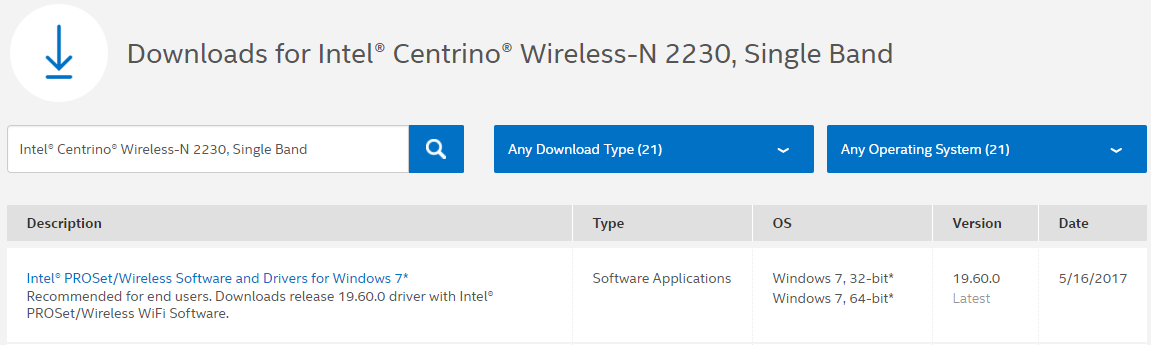
9.Install the driver and restart your computer.
By reinstalling the network adapter, you can get rid of this ERR_NETWORK_CHANGED error.
Method 6: Delete the WLAN profiles (wireless profiles)
1.Press Windows key + X and then select Command Prompt (Admin).
2.Now type this command in cmd and hit Enter: netsh wlan show profiles
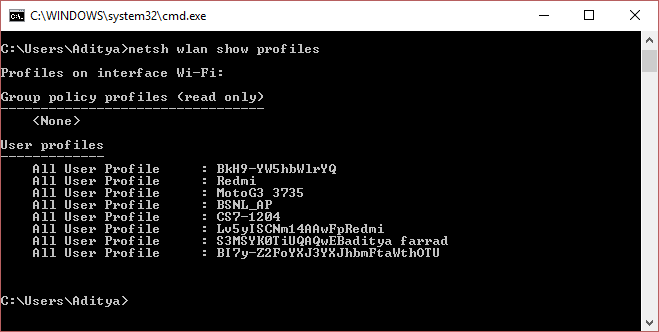
3.Then type the following command and delete all Wifi profiles.
netsh wlan delete profile name = »[PROFILE NAME]»
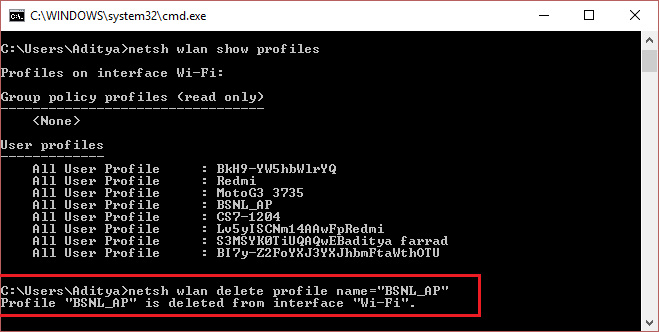
4.Follow the previous step for all Wifi profiles and then try to reconnect to your Wifi.
You can also check it:
- Fix Unable to connect to proxy server Error code 130
- Fix chrome error ERR_SSL_VERSION_OR_CIPHER_MISMATCH
- How to fix this site cannot be reached error in Gooogle Chrome
- How to fix server certificate has been revoked in chrome
- Fix ERR_TUNNEL_CONNECTION_FAILED error in Google Chrome
- Cómo arreglar el error del certificado SSLLa encriptación SSL (Secure Socket Layer) proporciona una conexión segura entre el cliente y el servidor. Consiste en un protocolo de Internet que permite encriptar datos sensibles (como información de pago, datos de tarjetas de crédito) y hacerlos ilegibles a terceros. Al mismo tiempo, un certificado confirma que el servidor es fiable. En este momento, además se le llama TLS (Transport Layer Security). Relevancia SSL es un método de cifrado plus en Google Chrome
That's all you've successfully fixed Unable to access network in Chrome (ERR_NETWORK_CHANGED), but if you still have any questions about it, feel free to ask in the comment section.