In LinkedInDe acuerdo a la cantidad de información propia, LinkedIn es la red profesional más amplia del mundo: cuenta con 200 países y con más de 200 millones de usuarios. El portal web se lanzó en mayo de 2003 en California, USA. El CEO de LinkedIn es Jeff Weiner y el equipo de dirección está compuesto por ex ejecutivos de empresas como Yahoo!, Google y Microsoft. El objetivo empresarial de LinkedIn plus, como en cualquier otra social networkLas redes sociales pueden ser vistas como un canal de marketing que ofrece a los usuarios la posibilidad de producir y compartir información de la manera más fácil, y de comunicarse con otros usuarios. Uno de los ejemplos más famosos de las redes sociales es facebook.com. Historia de las redes sociales Los orígenes de las redes sociales se remontan a mediados de la década de 1990, cuando el término se plus, a veces existen disgustos con otros usuarios. Por lo tanto, the platform gives you the option to block a person or report them.
So, before any discussion, misunderstanding, lack of respect or any other problem, you can report the user, however, this process requires some tests and is more serious.
In this article we are going to focus on the option to block contact on LinkedIn, we are going to show you the steps with photos, so you can do it in a very simple and fast way.
Steps to block a LinkedIn contact / member
Do you want to learn how to block a contact on LinkedIn? Follow the next steps


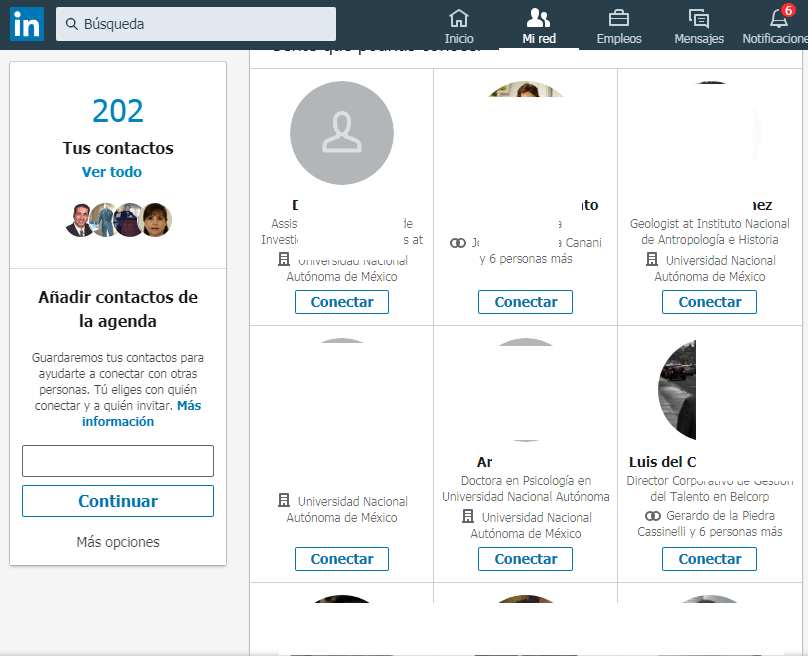
- Go to the search bar to enter the name of a person who is not part of your contacts
- Choose the profile of the contact or member what do you want to block
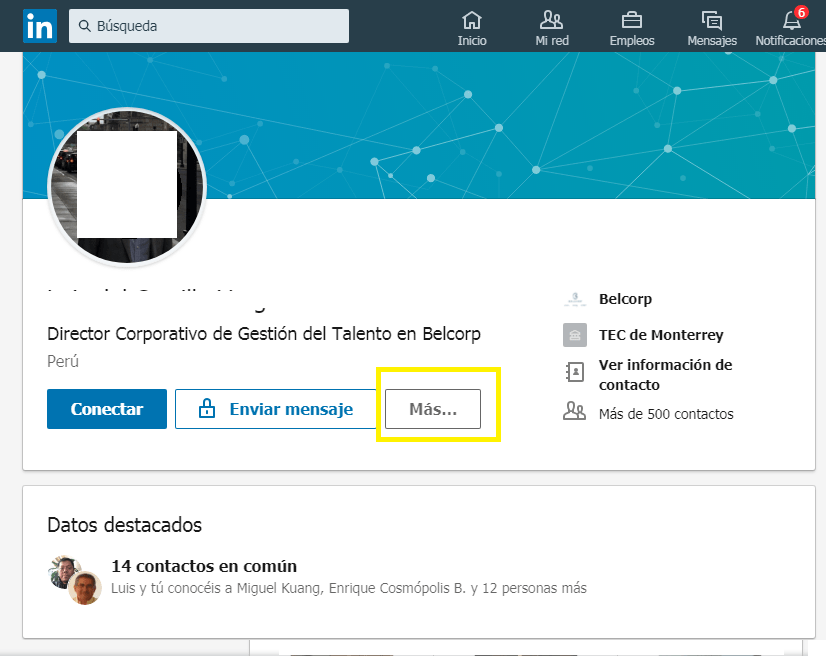
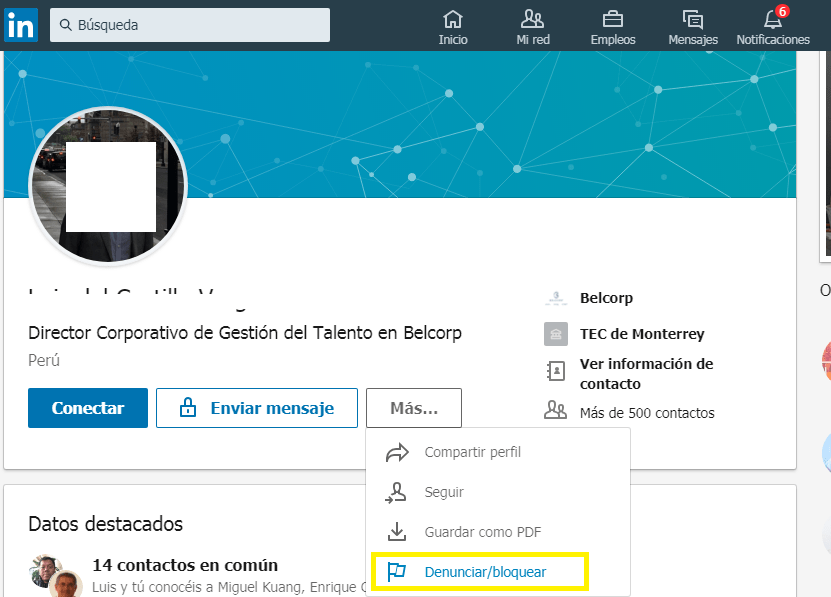
- You will get a list with options, check the one that says> Report / Block
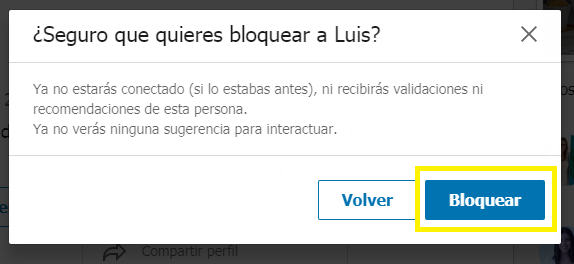
- They will ask you: What do you want to do? Select the first option> Block at ...
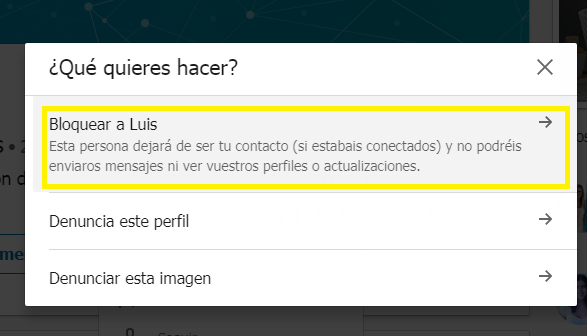
- To confirm that you want to block this LinkedIn contact, press> again To block
How do I know if I have been blocked on LinkedIn?
All users have the opportunity to block someone on LinkedIn, surely you are wondering; How do you know who blocked you on LinkedIn?
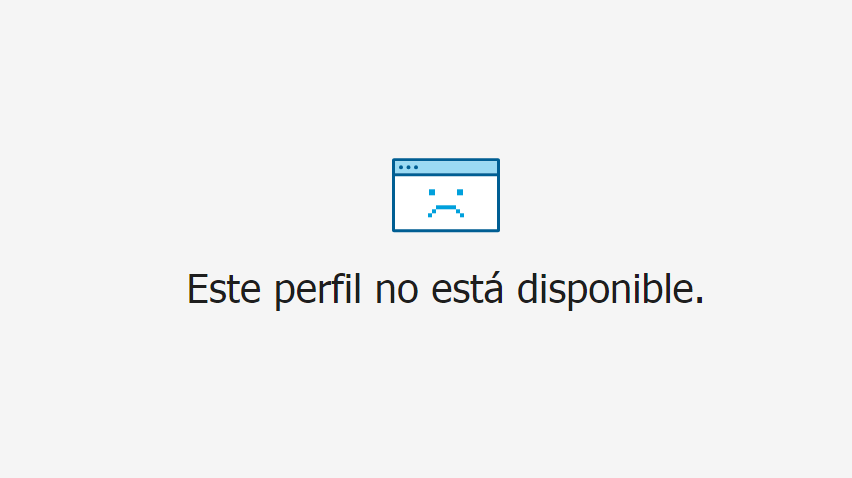
The easiest way to find out is by trying to access the profile of that person or contact, if they have blocked you, it will appear: "Profile not available on LinkedIn", as shown in the following image:
How to block a company on LinkedIn?
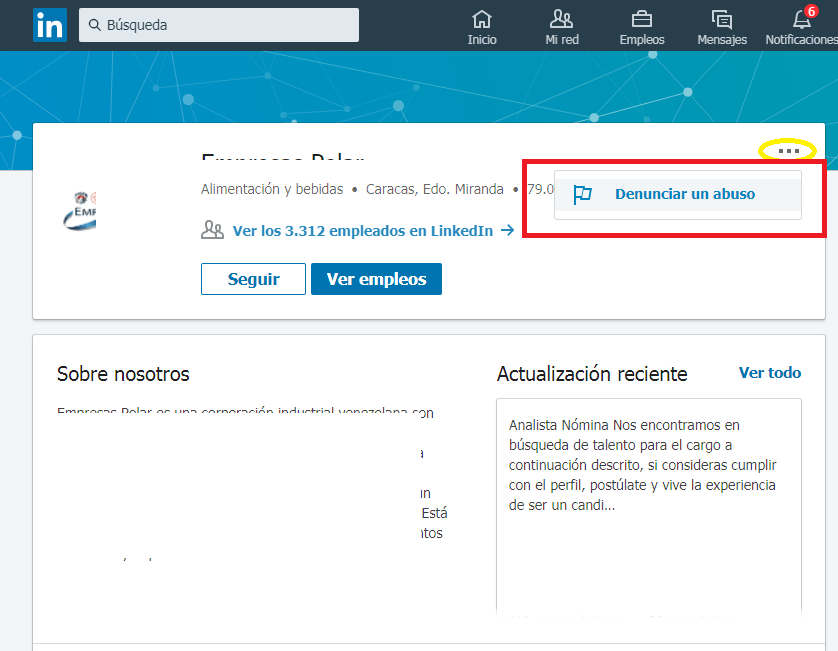
LinkedIn does not give us the option of being able to block a company, but it gives us a fairly consistent alternative: Report abuse.
Keep in mind that you have to have a clear reason and then present the relevant evidence, this is not a game, reporting a company on LinkedIn is a serious accusation, and you have to take it with great responsibility.
- Enter the name of the company in the search engine bar and select its profile
- Click¿Qué es un click?Es la acción de pulsar un botón del ratón una vez colocado el puntero del mismo sobre un elemento determinado de la pantalla. El click determina la interacción del usuario con el sistema.Otras denominaciones: Clic plus en > Report abuse
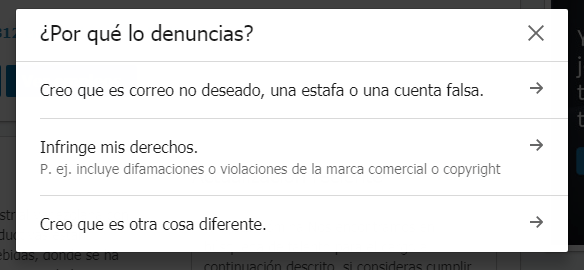
- Select the reason and sub reason for your report
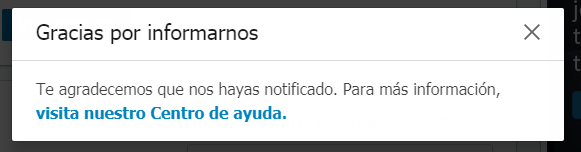
If I block someone on LinkedIn, will they find out?
When we block someone, we wonder if that person will find out immediately, or is that to find out, they will have to try to enter our profile and see the error option.
No, do not worryIf you block someone on LinkedIn, be it a contact or any member, they will NOT be notified of this option.
LinkedIn will not send you a message saying that you blocked it, this does not happen in any Social Network.
This action you will know dirtyly and is part of your privacy.
And obviously, the only way for that person to know that you have blocked them on LinkedIn is when they enter your profile, since they cannot see you, they will assume that you have blocked them.
View blocked contacts on LinkedIn
If you want to go to your blocked contact list on LinkedIn, follow these steps:
- Sign in to LinkedIn
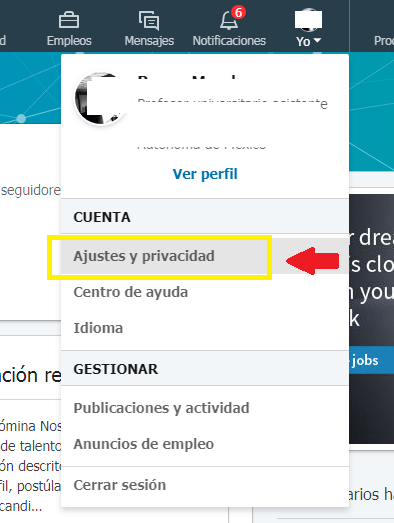
- Click> Me> Settings and Privacy
- Click> Privacy> Blocked
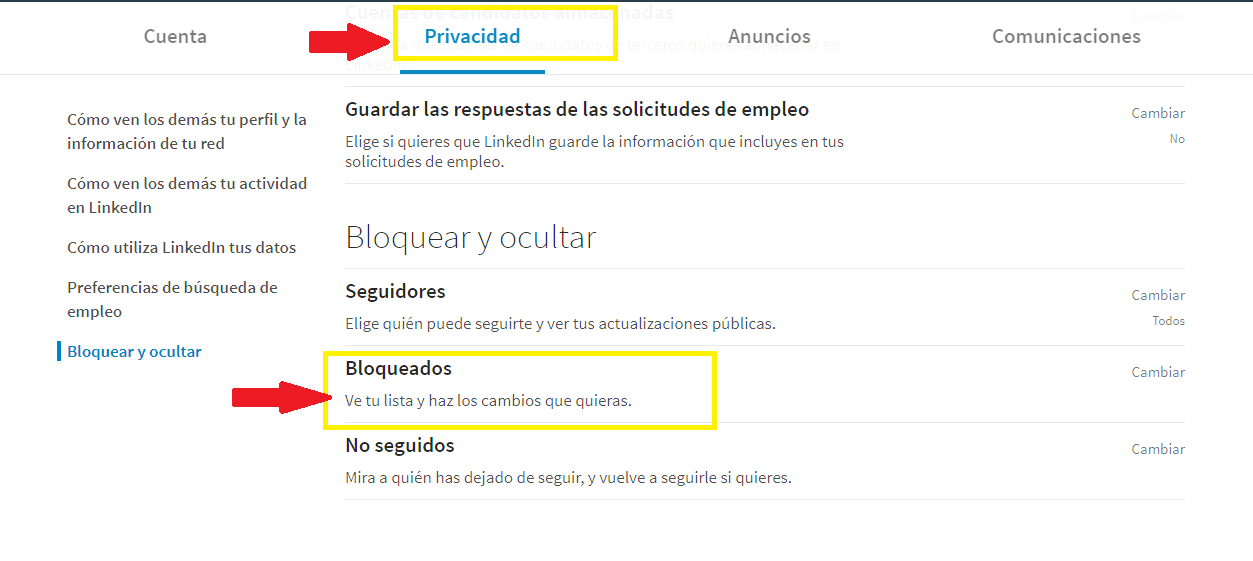
- The list with all the users you have blocked will appear
Unblock a user / contact on LinkedIn
If you mistakenly blocked a contact on LinkedIn, you have the option to remedy this action and unblock them, for this, simply do the following:
- Sign in to LinkedIn
- Click> Me> Settings and Privacy
- Click> Privacy> Blocked
- A list will appear with all your blocked users
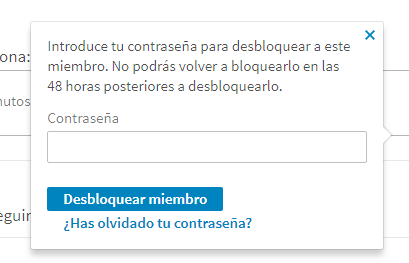
- Stand on his name and select the right button that says: Unlock (See the image below)
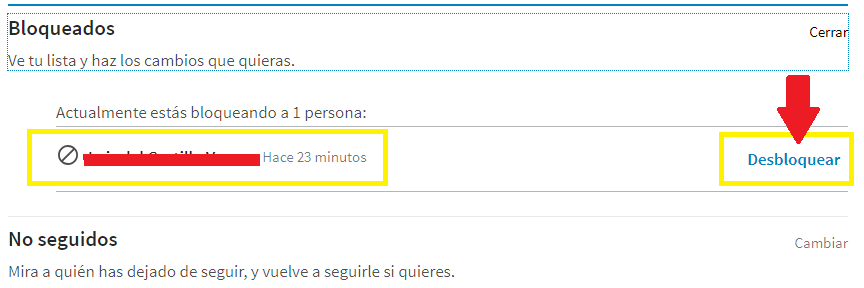
- Then they will ask you to enter your password to confirm that it is really you, then press> Unlock Member. Clever